
recruitment-kpi-dashboard-template
6 Recruitment KPI Dashboard Template Picks for Agencies
Tracking metrics like time-to-hire, cost-per-hire, and submission-to-interview ratios shouldn't require building spreadsheets from scratch. A solid recruitment KPI dashboard template gives your agency...
Written by: Saply Team
6 Recruitment KPI Dashboard Template Picks for Agencies
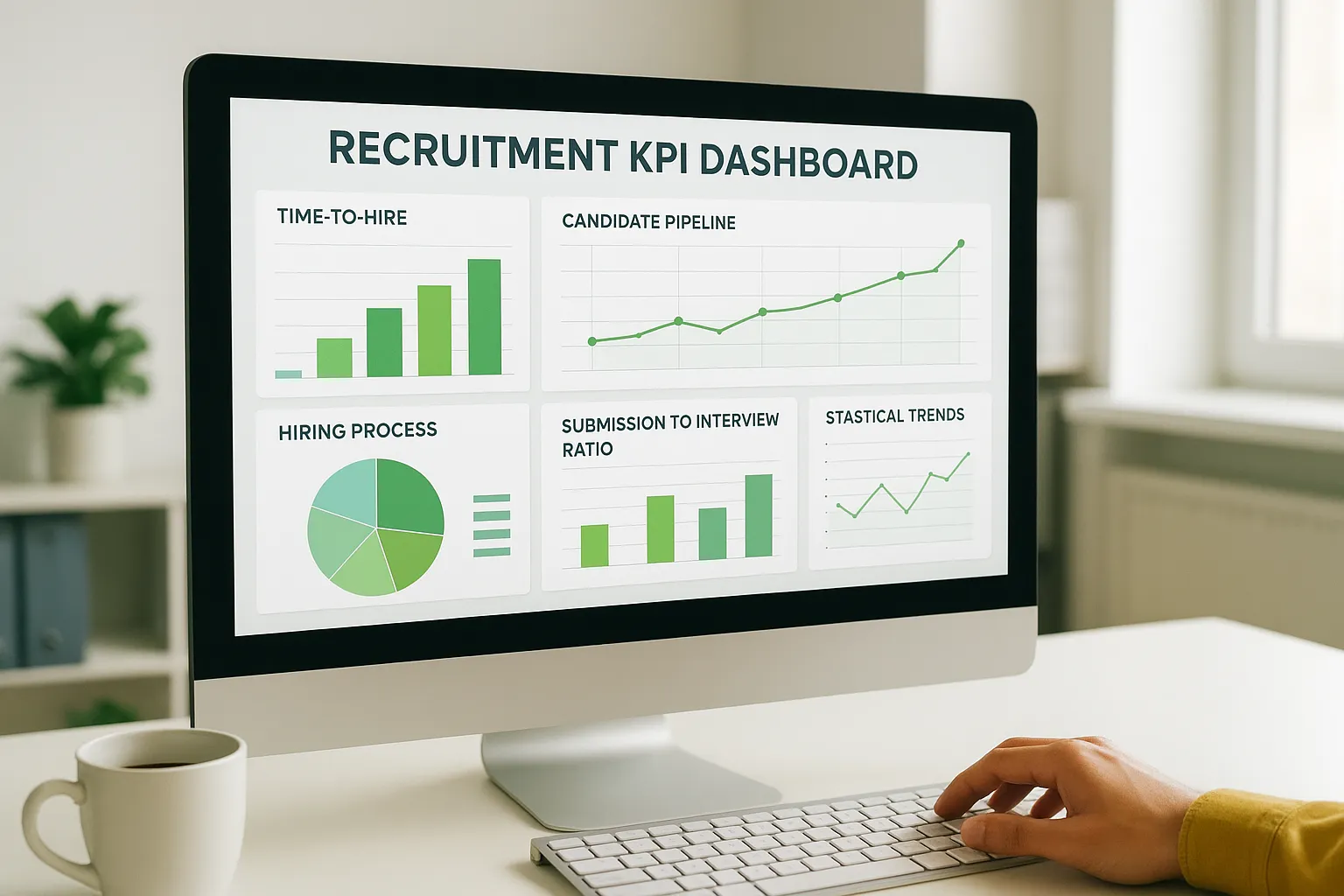
Tracking metrics like time-to-hire, cost-per-hire, and submission-to-interview ratios shouldn’t require building spreadsheets from scratch. A solid recruitment KPI dashboard template gives your agency a ready-made framework to visualize what’s working and where candidates are getting stuck in the pipeline.
The problem? There are dozens of templates floating around, and most are built for in-house HR teams, not staffing agencies juggling multiple clients, roles, and recruiters at once. You need something that reflects agency-specific workflows, from sourcing speed to client fill rates, without hours of customization. And once you know where bottlenecks live, tools like Saply can help you act on them, cutting CV formatting and tailoring time so your submission metrics actually improve.
Below, you’ll find six recruitment KPI dashboard templates that work well for agencies. Each one covers different formats, Excel, Google Sheets, and PowerPoint, so you can pick the one that fits how your team already operates and start reporting on the numbers that matter.
1. Saply
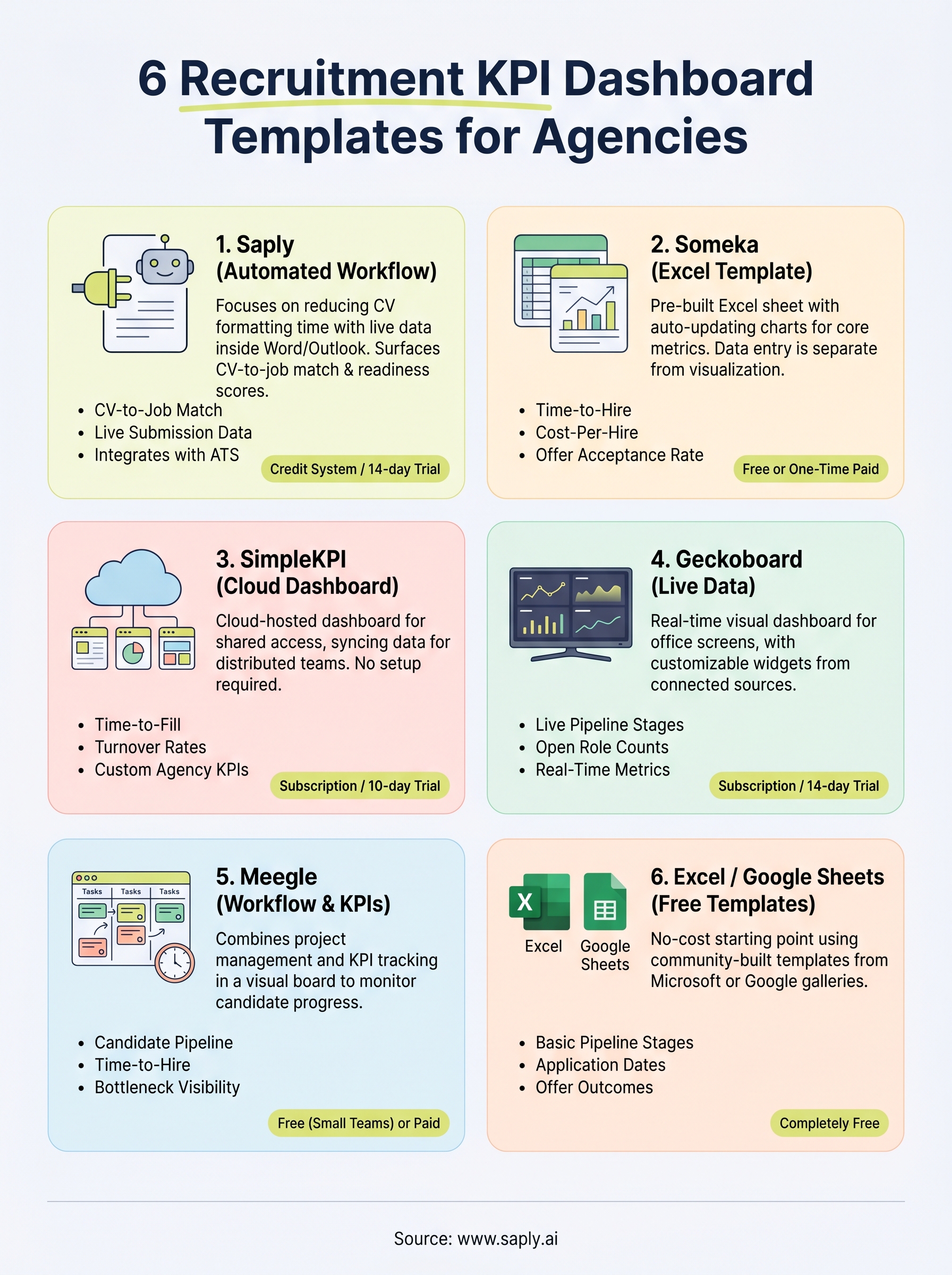
Saply takes a different approach to tracking recruitment data than a typical recruitment KPI dashboard template. Instead of handing you a static spreadsheet, Saply focuses on automating the CV workflow so that the metrics your dashboard tracks, like submission volume, time-to-format, and placement rates, actually improve as you use the tool. It runs as a plugin inside the tools your team already uses daily, which means no new software to learn and no extra logins.
What it tracks
Saply surfaces CV-to-job match scores, skill gap analyses, and submission readiness data directly inside Microsoft Word, Google Docs, and Outlook. This gives your recruiters real-time visibility into candidate fit and pipeline quality without pulling reports from a separate system. You can see which candidates are strong matches for open roles and which ones need more work before submission, all in the same window where you’re already working.
How you build the dashboard
Rather than building a dashboard manually, Saply integrates with your existing ATS platforms, including Bullhorn, Carerix, and Spott, to pull placement data automatically. The AI assistant then surfaces insights based on that data in real time, so your team works from live metrics rather than manually updated spreadsheet cells.
Saply connects directly to your ATS, which means your recruitment data stays current without any copy-pasting or manual entry on your part.
Best for
Saply works best for staffing agencies and recruitment consultancies that handle high CV volumes and want to cut administrative time on formatting and tailoring. If your recruiters currently spend hours each week reformatting candidate CVs to match client templates, Saply targets that specific bottleneck head-on, freeing up time for client-facing work instead.
Pricing
Saply runs on a CV credit system with both monthly and yearly billing options. Your team can start with a 14-day free trial and no credit card required, giving you enough time to test the full workflow inside your existing tools before committing to a plan.
2. Someka recruitment KPI dashboard Excel template
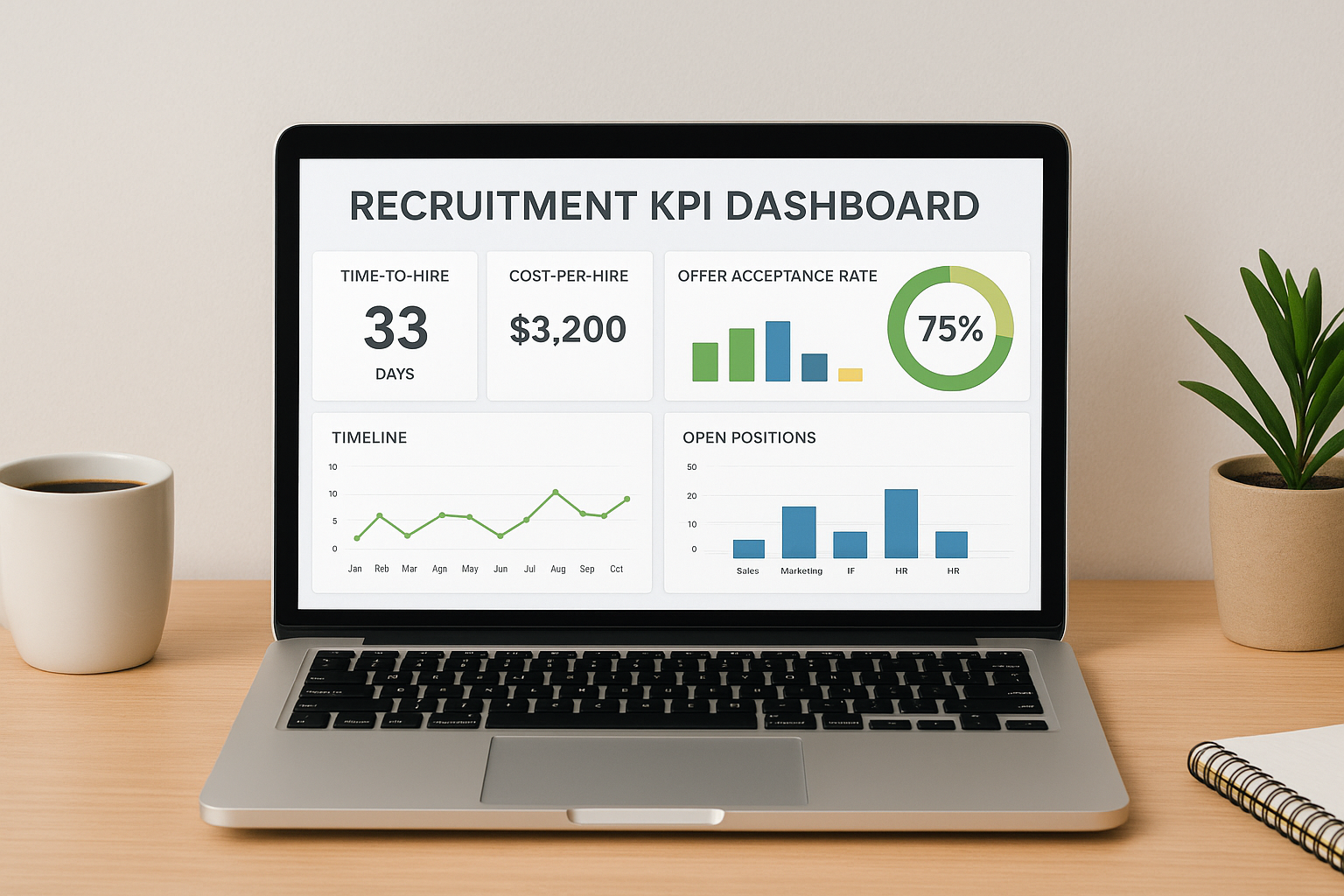
Someka’s Excel-based recruitment KPI dashboard template gives staffing agencies a pre-built spreadsheet with ready-made charts, formulas, and metric categories that you can populate without building anything from scratch.
What it tracks
The template covers core hiring metrics including time-to-hire, cost-per-hire, and offer acceptance rate, alongside headcount breakdowns by department. Visual charts update automatically as you enter data, giving your team a clear picture of pipeline performance across multiple open roles at once.
How you build the dashboard
You download the file, enter your recruitment data directly into the designated input tabs, and the dashboard sheets update on their own. The layout separates data entry from visualization, so your charts stay clean even as your data volume grows. No coding or advanced Excel knowledge is required to get it running.
Someka structures the template so all calculations run in the background, meaning your team only touches the input fields and nothing breaks.
Best for
This template fits small to mid-sized staffing agencies that prefer working entirely in Excel and want a structured starting point without paying for dedicated dashboard software or committing to a new platform.
Pricing
Someka offers both a free basic version and a paid premium version with additional metrics and chart types. The paid version is a one-time purchase, so there are no ongoing subscription costs.
3. SimpleKPI human resources KPI dashboard template
SimpleKPI is a cloud-based dashboard platform that offers a pre-built human resources template you can adapt into a functional recruitment KPI dashboard template without any spreadsheet setup. Unlike Excel-based options, everything lives online, which makes it easier for distributed agency teams to access the same data from different locations.
What it tracks
The template covers standard HR and recruitment metrics including time-to-fill, headcount targets, and turnover rates. You can also add custom KPIs specific to your agency, such as submission-to-interview ratios or client fill rates, so the dashboard reflects the numbers your team actually reports on.
How you build the dashboard
You start by connecting your data sources directly inside the SimpleKPI interface, either by entering numbers manually or syncing through integrations. The platform then renders your metrics into visual widgets and charts automatically, so there is no formula-writing or chart-building on your end.
SimpleKPI lets multiple team members view and update the same dashboard simultaneously, which removes the version-control headaches that come with shared spreadsheet files.
Best for
This template suits mid-sized agencies that want a cloud-hosted dashboard without investing in a full business intelligence tool. It works well when your team is spread across locations and needs consistent access to live recruitment data.
Pricing
SimpleKPI offers a free 10-day trial. Paid plans start on a per-user monthly subscription model, with pricing tiers based on the number of KPIs and users you need.
4. Geckoboard recruitment dashboard
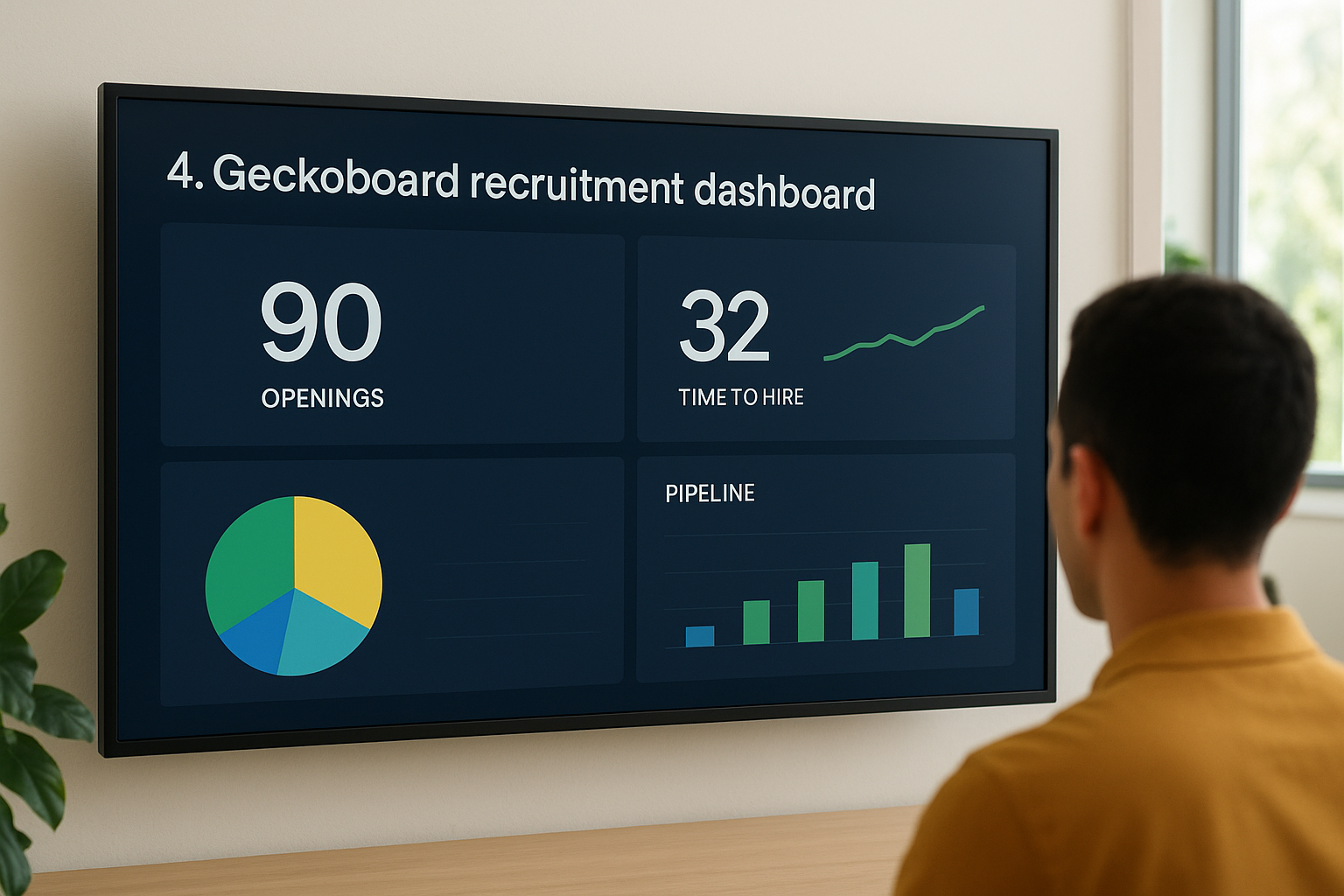
Geckoboard is a live data dashboard platform that lets staffing agencies build a custom recruitment KPI dashboard template by connecting their existing data sources. Unlike static spreadsheet options, Geckoboard displays real-time metrics on a visual dashboard that updates automatically as your underlying data changes.
What it tracks
Geckoboard doesn’t ship with a fixed list of recruitment metrics. You choose which KPIs appear on screen, from time-to-hire and open role counts to pipeline stage breakdowns, by connecting the data sources where that information already lives.
Your team can customize every widget on the canvas, so the final dashboard reflects the specific numbers your agency reports on rather than a generic HR template.
How you build the dashboard
You connect Geckoboard to your data sources, such as spreadsheets or CRMs, through its built-in integrations, then drag widgets onto the canvas and map each one to the relevant data field.
Geckoboard is built to display on large office screens, so your whole team sees live recruitment numbers without logging into a separate system.
Best for
Geckoboard fits larger staffing agencies that want live recruitment metrics visible on an office screen. It works best when your data already lives in a connected tool and your team needs real-time visibility across multiple recruiters or locations.
Pricing
Geckoboard offers a 14-day free trial. Paid plans are subscription-based and scale with the number of dashboards and users your agency requires.
5. Meegle recruitment KPI tracking dashboard template
Meegle is a project and workflow management platform that includes a pre-built recruitment KPI dashboard template designed to help teams track hiring activity across multiple open roles simultaneously. It gives staffing agencies a structured visual workspace that combines task management with recruitment metric tracking in a single interface.
What it tracks
The template covers pipeline stages, time-to-hire, and candidate progress across active roles. You can monitor where each candidate sits in your hiring workflow and flag stages where applications are stalling, giving your team clear visibility into bottlenecks before they affect client fill rates.
How you build the dashboard
You start from Meegle’s pre-built template library, select the recruitment dashboard, and customize the fields to match your agency’s workflow. The platform uses a visual board layout where you map candidates to stages and update metrics as hiring progresses.
Meegle lets you assign tasks directly inside the dashboard, so your team tracks both recruitment KPIs and action items in the same place.
Best for
This template suits staffing teams that want to combine project management with recruitment tracking in one tool rather than maintaining separate systems for tasks and metrics.
Pricing
Meegle offers a free plan for small teams, with paid tiers that unlock additional workflow features and integrations as your agency’s headcount and role volume grow.
6. Excel and Google Sheets recruiting tracker template
If your agency doesn’t need a dedicated platform and just wants a no-cost starting point, a community-built Excel or Google Sheets recruiting tracker template covers the basics without any subscription. These templates are widely available through Microsoft’s template gallery and Google Workspace Marketplace, giving your team a usable starting point in minutes.
What it tracks
Most free recruiting tracker templates cover candidate pipeline stages, application dates, and interview outcomes across multiple open roles. Some versions also include time-to-hire calculations and offer acceptance columns that auto-populate once you enter your dates, giving you a lightweight recruitment KPI dashboard template without building formulas yourself.
How you build the dashboard
You open the template from Microsoft Office’s template library or Google Sheets’ built-in template gallery, make a copy, and start entering your data. Pivot tables and built-in charts then summarize your hiring activity across roles automatically.
Both Microsoft and Google offer free recruiting tracker templates directly inside their tools, so your team can get started without searching third-party sites.
Best for
This option works best for small agencies or solo recruiters who want a zero-cost, low-setup solution and don’t need real-time syncing or ATS integration.
Pricing
Both options are completely free through Microsoft Office and Google Workspace.
Next steps
Each recruitment KPI dashboard template on this list solves a different problem. If your agency runs on Excel and wants a low-setup option, the Someka template or a free Google Sheets tracker gets you tracking core hiring metrics without any platform investment. If your team needs live data across multiple locations, Geckoboard or SimpleKPI give you cloud-based visibility that spreadsheets can’t match.
But tracking metrics only tells part of the story. If your submission volume is low or your time-to-hire is slow, the bottleneck is often the CV workflow itself, not your reporting. That’s where Saply directly addresses the problem. Your recruiters spend less time formatting and tailoring CVs and more time submitting strong candidates to clients.
If you want to see how much time your team can save on CV preparation, start your free trial with Saply and test it inside the tools you already use.