
recruitment-software-comparison
12 Recruitment Software Comparison Tools Reviewed (2026)
Choosing recruitment software affects every part of your hiring workflow, from how fast you source candidates to how quickly you get CVs in front of clients. A solid recruitment software comparison ma...
Written by: Saply Team
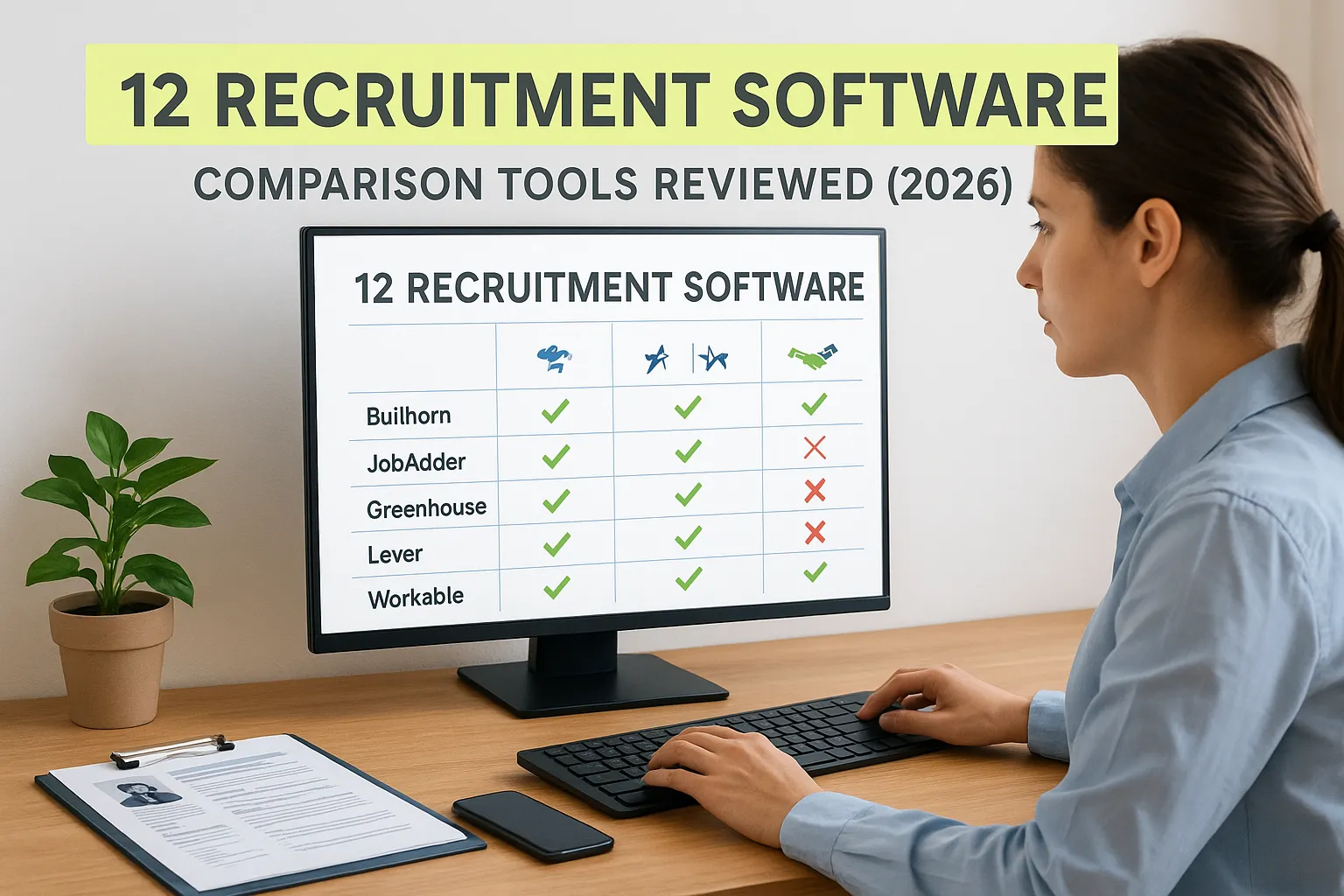
12 Recruitment Software Comparison Tools Reviewed (2026)
Choosing recruitment software affects every part of your hiring workflow, from how fast you source candidates to how quickly you get CVs in front of clients. A solid recruitment software comparison matters because the wrong pick means months of workarounds, clunky integrations, and recruiters spending time on admin instead of placements. The right one? It removes friction from your daily process and actually speeds up time-to-hire.
The problem is that most comparison guides lump together tools built for corporate HR teams with tools designed for staffing agencies, even though the workflows are completely different. Agency recruiters need software that handles high-volume CV formatting, candidate-to-job matching, and fast client submissions, not just posting jobs and tracking applicants. That distinction changes which platforms are worth your budget and which ones will collect dust after onboarding.
At Saply, we work alongside recruitment software as an AI-powered plugin that formats and tailors CVs directly inside the tools recruiters already use, Word, Google Docs, Outlook, and ATS platforms like Bullhorn. We built this guide because we understand the staffing agency tech stack from the inside out, and we know the questions recruiters actually ask before committing to a platform.
Below, you’ll find 12 recruitment software tools reviewed for 2026, broken down by features, pricing, ideal use case, and where each one fits (or doesn’t) in a modern staffing operation.
1. Saply
Saply is an AI-powered CV formatting and tailoring plugin that slots directly into the tools your recruitment team already uses every day. Rather than replacing your existing workflow, it enhances the tools you open every morning, including Microsoft Word, Google Docs, Outlook, and major ATS platforms like Bullhorn, Carerix, and Spott. The goal is simple: remove the manual formatting and tailoring work between receiving a raw CV and submitting a polished, role-ready resume to a client.
How Saply works
Saply works as a plugin embedded inside your existing document editors and ATS. When you receive a raw candidate CV, Saply applies your agency’s branded template in one click, adjusting section alignment, typography, and layout without any manual copy-pasting. You then feed in a job description, either typed manually or pulled directly from your connected ATS, and Saply’s AI tailors the CV content to match the role, surfacing relevant experience and flagging skill gaps before you pitch.
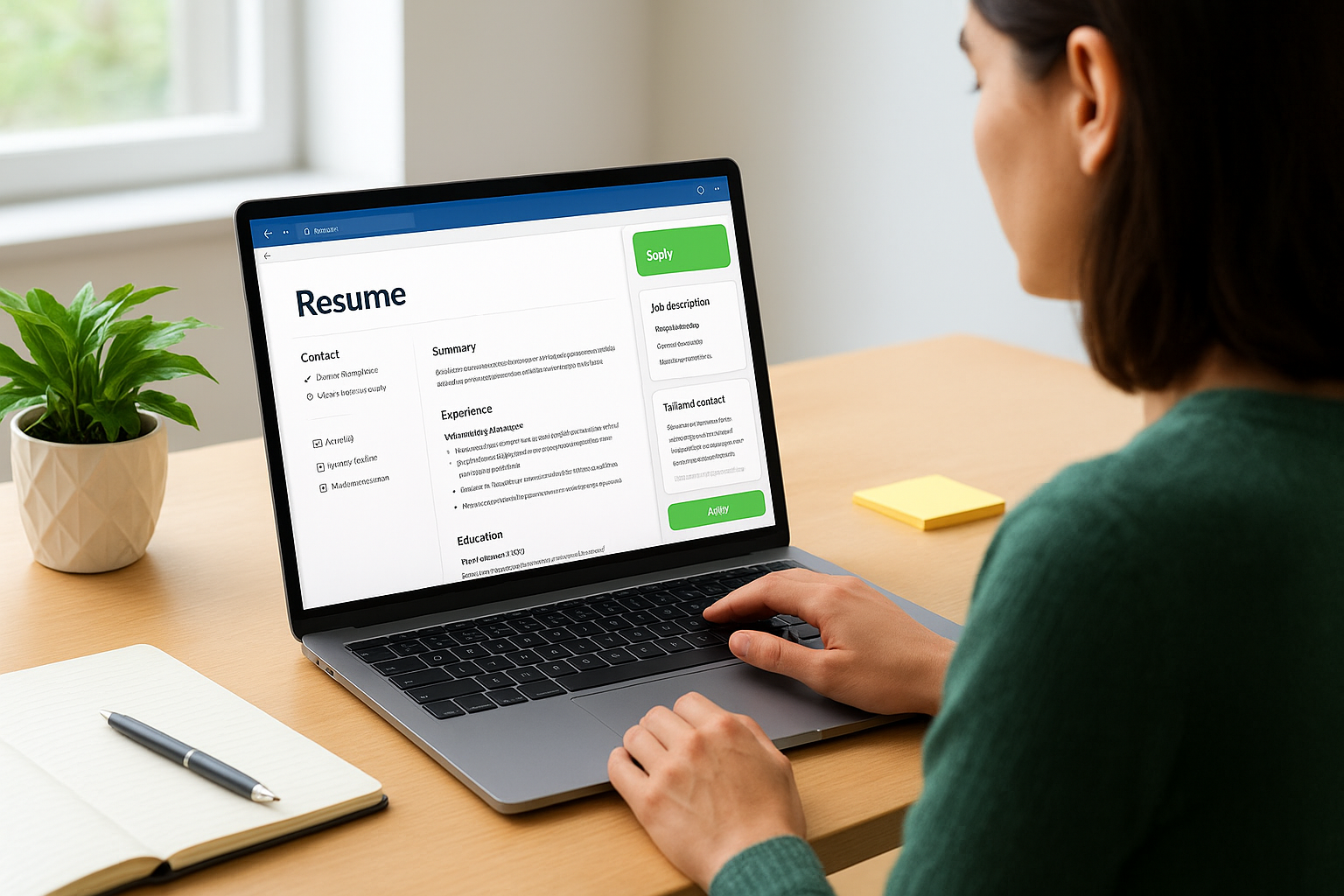
The built-in CV-to-job matching feature scores candidates against specific job requirements and generates risk assessment notes, so your team submits only the candidates you’re genuinely confident in.
Who Saply is for
Saply is built specifically for staffing agencies and recruitment consultancies that submit high volumes of CVs to clients on a regular basis. If your recruiters spend significant time reformatting CVs, manually adjusting templates, or moving content between systems, Saply addresses those exact pain points. It works best for agencies that have established branded CV templates and want consistent, professional output on every client submission without adding time to each recruiter’s process.
Corporate in-house HR teams building internal pipelines will find Saply less relevant, since the platform is designed around the agency submission model rather than direct-hire or internal tracking workflows.
What to compare in Saply
When you conduct your recruitment software comparison, focus on three areas with Saply: formatting accuracy against your existing agency templates, the quality of AI-generated tailoring using real job descriptions, and how cleanly the plugin connects to your current ATS setup. Saply provides custom template integration within 48 hours, which is worth testing during your trial using your actual templates rather than generic samples.
Also examine how the CV credit system aligns with your team’s monthly submission volume to avoid unexpected overages mid-cycle.
Saply pricing and trial notes
Saply runs on a CV credit model with both monthly and yearly billing options, scaling based on your team’s formatting and tailoring volume. The 14-day free trial requires no credit card, which gives you enough runway to run Saply against live job briefs and real candidate CVs before making any financial commitment. That window is enough to assess whether the output quality and integration reliability actually fit your agency’s standards.
2. Bullhorn
Bullhorn is one of the most recognized names in staffing technology, built as a cloud-based ATS and CRM designed for recruitment agencies that manage large candidate databases and multiple client relationships at once. The platform combines applicant tracking, contact management, and reporting in a single environment, making it a common choice for mid-to-large staffing firms that need full visibility across the recruitment lifecycle.
How Bullhorn works
Bullhorn centralizes your candidate and client data in a unified CRM and ATS dashboard, letting your team track applications, schedule follow-ups, and manage placements from one place. The platform logs communication history automatically, pulls in candidate records, and provides pipeline visibility across all open roles so nothing falls through the cracks between sourcing and submission. It also connects with third-party plugins, including Saply for CV formatting and tailoring, which fills a gap Bullhorn does not address natively.
Bullhorn’s strength is pipeline management at scale, but it does not handle CV formatting or tailoring, which means your team still owns that work manually unless you add a dedicated plugin.
Who Bullhorn is for
Bullhorn fits mid-to-large staffing agencies running high volumes of open roles across multiple clients simultaneously. If your team needs structured workflows, detailed reporting on placement activity, and a reliable CRM to track long-term candidate relationships, Bullhorn is a serious contender worth including in your recruitment software comparison.
What to compare in Bullhorn
Evaluate Bullhorn on pipeline customization, reporting depth, and integration library breadth. Pay close attention to how the system handles CV submissions to clients and whether your current document workflow connects cleanly with Bullhorn’s native features.
Bullhorn pricing and trial notes
Bullhorn does not publish pricing publicly. Your team will need to request a quote directly, and costs typically scale by user count and feature tier. No self-serve free trial is currently available.
3. Recruiterflow
Recruiterflow is a cloud-based ATS and CRM built specifically for recruiting agencies and executive search firms. The platform combines candidate tracking, client pipeline management, and email outreach automation in a single interface, giving smaller to mid-sized agencies a modern alternative to legacy recruitment platforms.
How Recruiterflow works
Recruiterflow organizes your recruitment activity around a visual pipeline board that tracks candidates through each hiring stage. You can log calls and emails automatically, build multi-step outreach sequences, and pull candidate data into structured workflows without manually updating records. The platform also includes resume parsing to extract candidate details on import, though it does not offer automated CV formatting or tailoring against specific job descriptions.

If your team regularly runs outreach campaigns to passive candidates, Recruiterflow’s built-in sequencing tools reduce the manual effort of managing that process through standard email.
Who Recruiterflow is for
Recruiterflow suits small to mid-sized staffing agencies and executive search firms that want a clean ATS with built-in CRM and communication tools. Teams that prioritize candidate relationship management and structured follow-up workflows over heavy enterprise reporting will get the most value here.
What to compare in Recruiterflow
When you run your recruitment software comparison, focus on how Recruiterflow’s pipeline customization handles your specific role types and whether email automation connects cleanly with your current outreach setup. Pay close attention to resume parsing accuracy against your actual candidate CV formats, since output quality varies depending on how the source documents are structured.
Recruiterflow pricing and trial notes
Recruiterflow offers tiered pricing plans based on user count, with an entry-level option accessible to smaller teams. A 14-day free trial is available without a credit card, which gives you enough runway to test pipeline configuration and outreach sequencing against live recruitment activity before committing.
4. Recruit CRM
Recruit CRM is a combined ATS and CRM platform built for staffing agencies and executive search firms that want candidate tracking, client management, and basic automation in one place. The platform positions itself as a user-friendly alternative to legacy systems with a shorter onboarding curve and a more accessible price point.
How Recruit CRM works
Recruit CRM lets you manage candidates, contacts, and job orders from a centralized dashboard that tracks activity across your pipeline. The system parses resumes on import, stores candidate profiles, and logs client interactions automatically. You can build custom hiring stages, set task reminders, and run basic email sequences without leaving the platform. Like most ATS platforms, it does not handle CV formatting or tailoring natively, so your team still manages that step manually or through a plugin.
If your agency handles both permanent and contract placements, Recruit CRM’s dual pipeline setup lets you manage both tracks without juggling separate tools.
Who Recruit CRM is for
Recruit CRM fits small to mid-sized agencies that want a straightforward ATS with built-in CRM functionality without paying enterprise-level fees. Teams that prioritize ease of adoption over deep reporting or complex automation will find the interface approachable from day one.
What to compare in Recruit CRM
When you run a recruitment software comparison, test Recruit CRM on resume parsing accuracy using your actual candidate documents, and evaluate how cleanly the pipeline stages map to your existing submission workflow. Also check how third-party integrations connect, particularly if you use document tools like Word or Google Docs for CV delivery.
Recruit CRM pricing and trial notes
Recruit CRM offers tiered pricing plans based on user count, with details available directly on their site. A free trial period is available, giving your team time to test core features before committing to a paid plan.
5. Loxo
Loxo is an all-in-one recruiting platform that combines an ATS, CRM, and AI-powered sourcing tools into a single interface. The platform targets agencies and in-house teams that want to reduce separate tools in their tech stack by centralizing candidate sourcing, tracking, and outreach without switching between applications.
How Loxo works
The platform pulls candidate data from multiple sourcing channels including job boards and its own talent database, then centralizes those records in a unified ATS. You can build role-specific workflows, automate outreach sequences, and let the AI surface candidates based on job requirements, though Loxo does not handle CV formatting or tailoring for client submissions natively.
Loxo’s sourcing capabilities cover significant ground, but filling the CV formatting gap still requires adding a separate plugin to your stack.
Who Loxo is for
Loxo suits recruiting agencies and internal talent teams that prioritize candidate sourcing volume and want AI-driven recommendations built directly into their pipeline. Teams that spend significant time hunting for candidates across multiple platforms will benefit most from having sourcing and tracking consolidated in one place.
What to compare in Loxo
When you run your recruitment software comparison, focus on how Loxo’s AI sourcing accuracy holds up against your actual role types and whether its outreach automation integrates cleanly with your current communication setup. Also examine pipeline customization depth to confirm the workflow stages match how your team actually moves candidates through a full placement cycle.
Loxo pricing and trial notes
Loxo offers a free tier with limited features, giving your team a low-risk entry point before committing to a paid plan. Paid tiers require a direct quote from the sales team, with pricing structured around team size and the specific feature set your agency needs.
6. JobAdder
JobAdder is a cloud-based recruitment platform designed for staffing agencies and in-house talent teams that want a clean, modern ATS without the complexity of enterprise-level systems. The platform focuses on simplifying the recruiter’s daily workflow through an intuitive interface, solid pipeline management, and a broad integration library that connects with tools your team likely already uses.
How JobAdder works
JobAdder organizes your recruitment activity around job orders, candidate profiles, and placement tracking, all managed from a centralized dashboard. The system parses incoming CVs automatically, logs communication history, and lets you move candidates through custom pipeline stages that reflect your actual placement process. It connects with major job boards for posting and connects to communication tools to reduce manual data entry across your team’s day.
JobAdder covers pipeline and communication management well, but it does not format or tailor CVs for client submissions, so that step remains manual unless you add a dedicated plugin to your stack.
Who JobAdder is for
JobAdder suits staffing agencies and boutique recruitment firms that want a straightforward ATS with reliable job board integrations and a low learning curve. Teams that have previously struggled with overly complex legacy platforms will find the transition to JobAdder significantly faster than most enterprise alternatives.
What to compare in JobAdder
When you run a recruitment software comparison, evaluate JobAdder on pipeline flexibility, job board coverage, and how cleanly it connects with the document tools your recruiters use daily for CV preparation and client delivery. Testing with your actual job types and candidate volumes during the trial will give you the most accurate read.
JobAdder pricing and trial notes
JobAdder does not list pricing publicly and requires a direct quote from their sales team. A free trial option is available, with terms confirmed during the initial sales conversation.
7. Zoho Recruit
Zoho Recruit is a cloud-based ATS and recruitment platform that serves both staffing agencies and corporate HR teams. It sits within the broader Zoho ecosystem, which means it connects naturally with Zoho’s other business tools, giving teams that already use Zoho products a low-friction path to centralizing their hiring and candidate management in one environment.
How Zoho Recruit works
Zoho Recruit lets you manage the full recruitment cycle from candidate sourcing through placement, using a customizable pipeline that tracks applications, stores candidate profiles, and logs client interactions. The platform includes resume parsing, job board posting, and workflow automation rules that reduce repetitive manual steps like status updates and follow-up reminders. It does not format or tailor CVs for client submissions natively, so that step remains a manual task unless your team adds a dedicated plugin to handle it.
If your agency already runs other Zoho products, the native integration layer removes a significant amount of manual data syncing between tools.
Who Zoho Recruit is for
Zoho Recruit fits small to mid-sized staffing agencies and in-house HR teams that want a configurable ATS at a competitive price point. Teams already invested in the Zoho product suite will find the most value here, since cross-platform connectivity is one of the platform’s clearest advantages over standalone recruitment tools.
What to compare in Zoho Recruit
When you run your recruitment software comparison, test how well Zoho Recruit’s pipeline stages map to your actual submission workflow and evaluate how resume parsing handles your real candidate documents rather than clean samples. Also check how deeply the Zoho integrations connect with the specific modules your team uses daily.
Zoho Recruit pricing and trial notes
Zoho Recruit offers a free plan for individual users, with paid tiers starting at published rates that scale by feature access and user count. A 15-day free trial is available on paid plans with no credit card required.
8. Manatal
Manatal is a cloud-based ATS and recruitment platform built for staffing agencies, recruitment firms, and corporate HR teams that want AI-powered candidate screening without the complexity of an enterprise system. The platform stands out for its social media enrichment feature, which automatically pulls publicly available candidate data from LinkedIn and other sources to build fuller profiles without manual research on your team’s part.
How Manatal works
The platform organizes your pipeline around a Kanban-style board that tracks candidates through custom hiring stages. When you import a CV, Manatal parses it automatically and enriches the candidate profile with data pulled from public social profiles, which cuts down on the time your team spends filling out records by hand. Its AI scoring engine then ranks candidates against job requirements to surface the strongest fits, though it does not handle CV formatting or tailoring for client submissions natively.
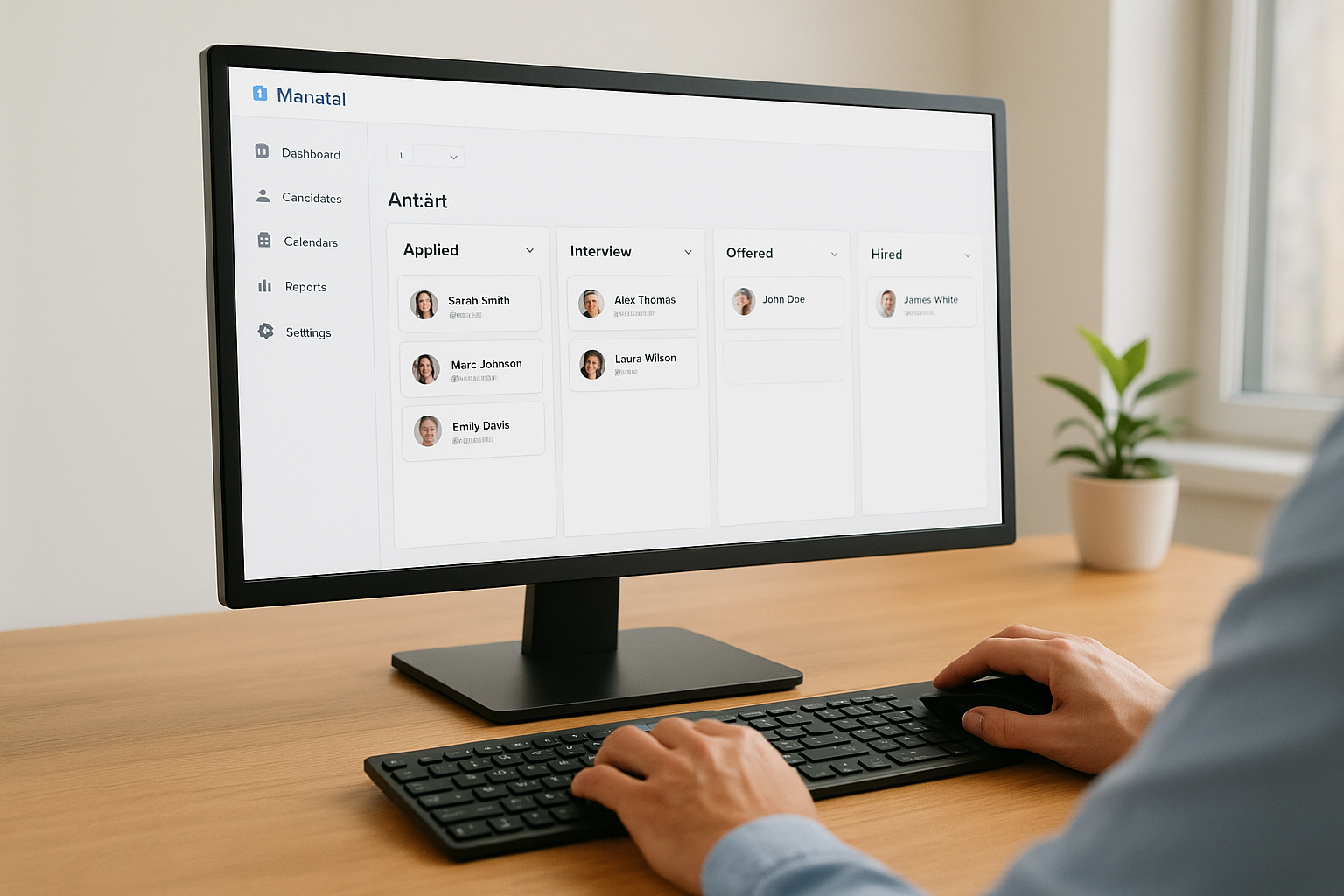
Adding a dedicated CV formatting plugin fills the submission preparation gap that Manatal does not cover on its own.
Who Manatal is for
Manatal suits small to mid-sized recruitment agencies and in-house HR teams that want AI-assisted candidate screening at an accessible price point. Teams that prioritize fast profile enrichment and AI ranking over deep enterprise reporting will find the platform’s feature set well-matched to their daily workflow.
What to compare in Manatal
When you run your recruitment software comparison, evaluate Manatal on how accurately the AI ranks candidates against your actual job descriptions and how well the social enrichment feature performs for the candidate types your agency regularly places. Also test pipeline customization depth and resume parsing quality using real documents during your trial.
Manatal pricing and trial notes
Manatal publishes transparent tiered pricing directly on their site, with plans scaling by user count and feature access. A 14-day free trial is available with no credit card required.
9. Workable
Workable is a cloud-based hiring platform that serves both in-house HR teams and staffing agencies looking for a structured ATS with strong job advertising tools. The platform combines candidate sourcing, pipeline management, and collaborative hiring workflows in a single interface, making it a common choice for teams that involve multiple stakeholders in the hiring decision.
How Workable works
Workable centralizes your hiring activity around job boards, candidate profiles, and structured evaluation tools that keep hiring teams aligned throughout the process. You can post to over 200 job boards from a single submission, track candidates through customizable pipeline stages, and collect structured feedback from interviewers using scorecards built into each job’s workflow. Workable does not handle CV formatting or tailoring for client submissions natively, so that step stays manual unless you add a dedicated plugin.
Workable’s interview tooling and collaborative features are its clearest strengths, but the platform’s core design leans toward internal hiring rather than high-volume agency submissions.
Who Workable is for
Workable fits growing in-house HR teams and internal talent acquisition functions that run multiple open roles simultaneously and need structured collaboration across hiring managers, interviewers, and HR staff. Staffing agencies that prioritize broad job board reach over deep CRM functionality will also find value here, though the platform is not purpose-built for the agency submission model.
What to compare in Workable
When you run your recruitment software comparison, evaluate Workable on job board coverage, pipeline customization, and how well the collaborative evaluation features map to your team’s actual decision-making process. Test the scorecard and feedback tools with real interviewers during your trial to confirm they reduce back-and-forth rather than adding steps.
Workable pricing and trial notes
Workable offers tiered pricing plans published directly on their site, with options scaling by hiring volume and user access level. A 15-day free trial is available with no credit card required.
10. Greenhouse
Greenhouse is a structured hiring platform built primarily for in-house talent acquisition teams at mid-sized to large companies. The platform focuses on process consistency and data-driven hiring decisions, offering detailed pipeline configuration, collaborative evaluation tools, and robust reporting that helps internal HR teams standardize how they hire across departments and locations.
How Greenhouse works
Greenhouse organizes hiring around structured job workflows that define exactly which steps each candidate moves through, from application to offer. Every stage includes configurable scorecards, so interviewers collect consistent, comparable feedback on every candidate they evaluate rather than submitting unstructured notes. The platform does not handle CV formatting or tailoring for client submissions, which means that step remains manual unless your team adds a dedicated plugin to fill the gap.
Greenhouse’s process structure reduces inconsistency across hiring managers, but its design centers on internal hiring rather than the agency submission model.
Who Greenhouse is for
Greenhouse fits mid-to-large in-house HR and talent acquisition teams that run multiple open roles simultaneously and need structured, repeatable hiring processes across departments. Staffing agencies focused on high-volume candidate submissions to external clients will find the platform’s design less aligned with their daily workflow, since the tooling prioritizes internal evaluation over fast client delivery.
What to compare in Greenhouse
When you run your recruitment software comparison, evaluate Greenhouse on scorecard depth, pipeline customization, and how well its reporting tools surface actionable hiring data for your managers. Test the collaboration features with real hiring stakeholders during your trial to confirm the evaluation process reduces friction rather than adding review steps your team did not have before.
Greenhouse pricing and trial notes
Greenhouse does not publish pricing publicly and requires a direct quote from their sales team, with costs typically scaling by employee count and feature tier. No self-serve free trial is currently available, so your team will need to go through a full sales conversation before testing the platform against live hiring activity.
11. Pinpoint
Pinpoint is a cloud-based ATS designed for in-house HR and talent acquisition teams that want to combine structured hiring workflows with employer branding tools in a single platform. The product targets organizations that treat candidate experience as a competitive differentiator, building that focus directly into the platform’s core feature set rather than treating it as an add-on.
How Pinpoint works
Pinpoint manages your hiring activity through customizable pipeline stages that move candidates from application to offer within a structured workflow. The platform includes branded careers pages that your team configures without developer involvement, keeping your employer brand consistent across every candidate touchpoint. It does not handle CV formatting or tailoring for client submissions, so that step stays manual unless you add a dedicated plugin to cover the gap.

Who Pinpoint is for
Pinpoint fits in-house HR teams at mid-sized companies that prioritize candidate experience and employer brand presentation alongside standard pipeline management. Teams operating in competitive talent markets where the application experience directly influences offer acceptance rates will find the platform’s branding tools meaningful rather than cosmetic.
Pinpoint’s employer branding capabilities set it apart from most ATS platforms, but its design centers on internal hiring rather than high-volume agency submissions.
What to compare in Pinpoint
When you run your recruitment software comparison, focus on how Pinpoint’s careers page builder performs with your actual brand assets and whether the pipeline stages map cleanly to your existing hiring process. Testing automation rules and reporting tools with live roles during your trial confirms whether the platform handles your actual hiring volume without requiring manual workarounds your team did not have before.
Pinpoint pricing and trial notes
Pinpoint does not publish pricing publicly and requires a direct quote from their sales team, with costs scaling by feature tier and hiring volume. A free demo is available to give your team a structured walkthrough before committing to a full evaluation.
12. Lever
Lever is a talent acquisition platform that combines ATS functionality with built-in CRM tools, giving in-house recruiting teams a single place to manage both active applicants and passive candidate relationships. The platform targets growing companies and enterprise organizations that want to run structured hiring pipelines alongside proactive sourcing without managing separate tools for each activity.
How Lever works
Lever organizes your recruiting activity around two parallel tracks: an ATS pipeline for active candidates moving through defined hiring stages, and a CRM nurture workflow for passive candidates you want to keep warm over time. The platform logs recruiter activity automatically, lets you build custom pipeline stages per role, and surfaces candidate history whenever a contact re-enters your pipeline through a new application. Lever does not handle CV formatting or tailoring for client submissions natively, so that step remains manual unless your team adds a dedicated plugin.
Lever’s dual ATS and CRM design is its clearest differentiator, but the platform centers on internal hiring rather than the high-volume agency submission model.
Who Lever is for
Lever fits mid-to-large in-house talent acquisition teams that run proactive sourcing programs alongside standard applicant pipelines. Organizations that invest in candidate relationship building over time will get the most from the nurture CRM functionality, since that is where Lever’s design separates it from standard ATS platforms.
What to compare in Lever
When you run your recruitment software comparison, focus on how Lever’s CRM nurture tools handle your actual passive candidate volume and whether the pipeline customization maps cleanly to your existing hiring stages. Testing both tracks with real roles during your evaluation gives you a more accurate read than reviewing demo data.
Lever pricing and trial notes
Lever does not publish pricing publicly and requires a direct quote from their sales team, with costs scaling by team size and feature tier. No self-serve free trial is currently available.
Next steps
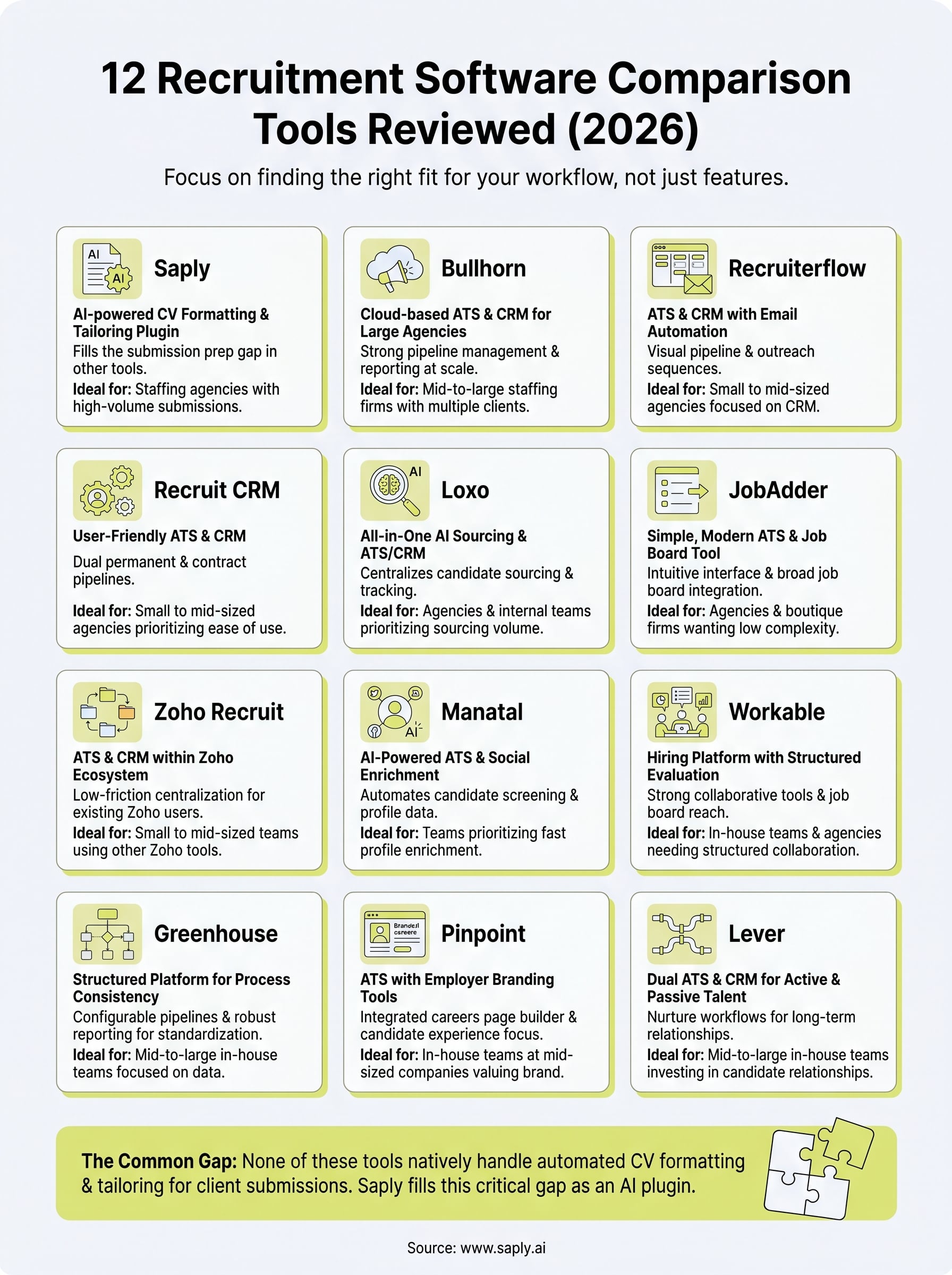
Every recruitment software comparison starts with the same question: does this tool actually fit how your team works, or will you spend months forcing your process into someone else’s design? The 12 platforms in this guide cover a wide range, from full ATS and CRM systems for large agencies to niche tools built around sourcing, employer branding, or internal hiring. None of them, on their own, handles CV formatting and tailoring for client submissions, which is where your recruiters still lose the most time each week.
That gap is exactly what Saply fills. Your team keeps using the tools already open on their desktops, and Saply handles the formatting, tailoring, and job matching work that currently eats into placement time. If you want to see how it fits alongside whichever ATS you choose from this list, you can start your free 14-day trial at Saply without entering a credit card.