
applicant-tracking-system-best-practices
6 Applicant Tracking System Best Practices for Recruiters
Most staffing agencies have an ATS in place. Fewer are using it well. The gap between "installed" and "optimized" is where recruiters lose hours each week to clunky workflows, miss...
Written by: Saply Team
6 Applicant Tracking System Best Practices for Recruiters
Most staffing agencies have an ATS in place. Fewer are using it well. The gap between “installed” and “optimized” is where recruiters lose hours each week to clunky workflows, missed candidates, and submissions that stall before they reach a client. Getting your applicant tracking system best practices right isn’t just an operational checkbox, it directly affects how fast you fill roles and how confidently you pitch candidates.
The reality is that an ATS only does what you set it up to do. Messy data, inconsistent CV formats, and disconnected tools turn what should be a speed advantage into a bottleneck. When candidate profiles aren’t standardized or matched properly to open roles, recruiters end up doing the heavy lifting manually, reformatting resumes, scanning for skill gaps, and second-guessing fit. That’s time pulled away from actual recruiting.
This article breaks down six practices that help staffing recruiters get more out of their ATS, from data hygiene to smarter integrations. We’ll also cover how tools like Saply plug directly into your existing ATS and document workflow to automate CV formatting, tailoring, and job matching, so your system works the way it was supposed to from day one. Here are six ways to sharpen your process.
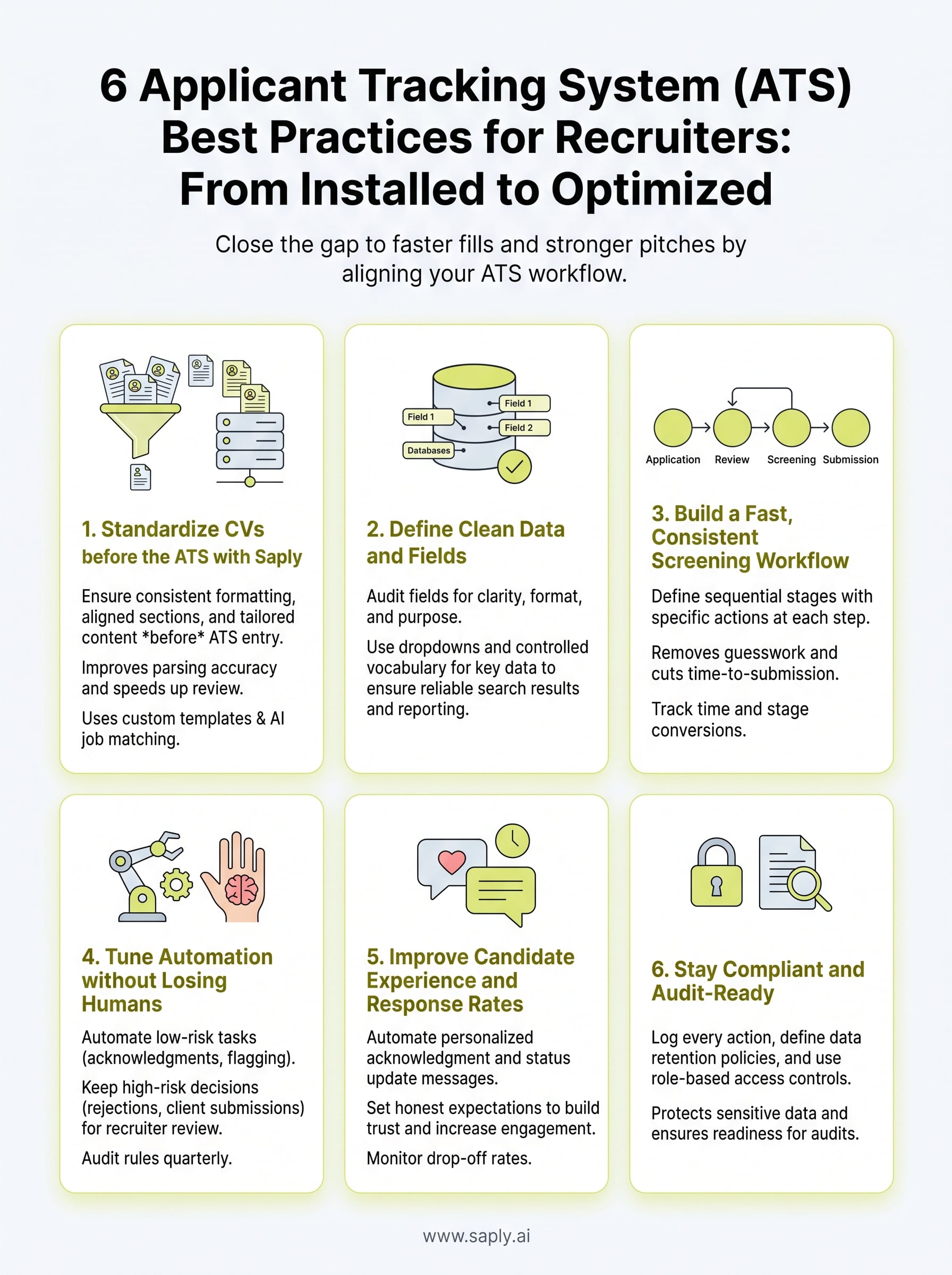
1. Standardize CVs before the ATS with Saply
Your ATS is only as useful as the data going into it. When recruiters feed it raw, inconsistently formatted CVs, the system struggles to parse fields correctly, and your team ends up fixing problems downstream rather than moving candidates forward. Standardizing CVs before they enter the ATS is one of the highest-impact applicant tracking system best practices you can implement, and it pays off at every stage of the hiring process.

What to do
Before a CV hits your ATS, it should meet a consistent standard: correct formatting, aligned sections, and tailored content that matches the specific job it’s being submitted for. This means applying your agency’s template, adjusting the layout, and mapping candidate skills to the role requirements. When every CV follows the same structure, your ATS parses fields accurately, your recruiters scan profiles faster, and clients receive cleaner, more professional submissions.
A standardized CV entering the ATS isn’t just better for the system; it’s a stronger candidate pitch before the conversation even starts.
How to do it
This is where Saply plugs directly into the tools your team already uses, including Microsoft Word, Google Docs, Outlook, Bullhorn, Carerix, and Spott. Instead of switching to a separate application, recruiters apply your agency’s custom template with one click, then use Saply’s AI to tailor the CV against a job description pulled straight from the ATS. Skill gaps, missing certifications, and match scores surface automatically, so your team makes informed decisions without manual scanning. Custom templates are live within 48 hours, and the entire process runs inside your existing workflow.
How to measure success
Track two numbers: time spent on CV preparation per submission and the rate at which ATS-parsed profiles return with missing or incorrect fields. Before standardizing, record how long it takes a recruiter to format and tailor a single CV manually. After introducing Saply, that number should drop noticeably. ATS field error rates should fall as well, since consistently structured CVs parse more accurately. If your submission volume climbs without adding headcount, that’s a reliable sign the standardization process is working.
2. Define clean data and fields
Your ATS is a database before it’s anything else. When field definitions are vague or inconsistent, recruiters enter data differently, and the system returns unreliable search results. Agreeing on exactly what goes where, and enforcing it, is a foundational applicant tracking system best practice that makes every other process faster.
What to do
Audit your current fields and remove anything redundant or unused. Every active field should have a clear label, an expected format, and a defined purpose. Required fields should be marked as mandatory so no record enters the system incomplete. This also means agreeing on standardized naming conventions for job titles, skill tags, and status labels across your entire team.
Inconsistent field data doesn’t just slow down search; it quietly distorts your reporting and makes pipeline metrics unreliable.
How to do it
Start with a field map: list every ATS field, who uses it, and what format is expected. Then lock down the fields that matter most, such as candidate status, availability date, and primary skill set, by using dropdown menus or controlled vocabulary instead of free text. Run a short team session to align on definitions before you push any changes live.
How to measure success
Pull a search for a common skill or job title and check how many variations appear in your results. Fewer variations mean cleaner data. Track the percentage of records with all required fields completed each month, and set a target above 95%.
3. Build a fast, consistent screening workflow
A slow screening process doesn’t just frustrate recruiters; it costs you candidates. When top applicants move quickly, agencies that respond first with a clean shortlist win the placement. Building a structured screening workflow inside your ATS keeps every recruiter on the same page and cuts the time between application and first client submission.

What to do
Define a clear, sequential set of screening stages in your ATS so every candidate moves through the same steps in the same order. Each stage should have a specific action attached: a review checkpoint, a tag, a score, or a disposition. Applying consistent stages is one of the core applicant tracking system best practices because it removes the guesswork that stalls high-volume hiring.
How to do it
Map your current process on paper first, then replicate those stages exactly inside your ATS. Assign ownership to each step so no candidate sits unreviewed between handoffs. Use required fields at each checkpoint to force structured decisions rather than loose notes in free text.
Screening is only as fast as your slowest step, so map every stage before you assume your workflow is efficient.
How to measure success
Track time-to-first-submission from the moment a candidate enters the ATS to the point a formatted CV reaches the client. Set a target that reflects the pace of your fastest competitors in the market.
Also monitor stage-to-stage conversion rates to identify exactly where candidates stall most often. When both metrics improve consistently, your screening workflow is functioning the way it should.
4. Tune automation without losing humans
Automation inside an ATS speeds up repetitive tasks, but it can also filter out strong candidates if you set rules too aggressively or rely on it without review. The goal is to let the system handle volume while keeping your recruiters in control of the decisions that require judgment. This balance is one of the applicant tracking system best practices that agencies most often overlook when they first configure their tools.
What to do
Identify exactly which tasks your ATS should handle automatically and which ones require a human decision. Automated actions like moving candidates to a review stage, sending acknowledgment emails, or flagging incomplete profiles are good candidates for automation. Reject decisions, final shortlist selections, and client-facing submissions should always involve recruiter review before they go anywhere.
Automation should reduce the work your team does on low-value tasks, not replace the judgment your team applies to high-value decisions.
How to do it
Audit your current automation rules and assign each one a risk level based on what happens if it fires incorrectly. Low-risk automations can run without oversight. Higher-risk automations should trigger a notification to a recruiter rather than taking action directly. Review your full rule set every quarter and adjust thresholds based on what your data shows.
How to measure success
Track the percentage of automated actions that require manual correction after the fact. If that number climbs, your rules need tightening. A well-tuned system should generate almost no rework.
5. Improve candidate experience and response rates
Your ATS shapes how candidates experience your agency from the moment they apply. Slow responses, generic emails, and silence between stages push strong candidates toward other opportunities. Treating communication as part of your applicant tracking system best practices keeps candidates engaged and your pipeline moving.
What to do
Set up automated acknowledgment messages at every key stage so candidates always know where they stand. Personalize these messages with the candidate’s name, the role they applied for, and a realistic timeline for next steps. Generic confirmation emails reduce trust, while specific, timely updates build it.
Candidates who feel informed and respected are more likely to stay engaged and refer others to your agency.
How to do it
Use your ATS to trigger status updates automatically when a candidate moves between stages. Write templates for each stage, from application received through shortlist and interview scheduled, so your team isn’t drafting individual emails manually. Keep the language direct and set honest expectations about your response timeline rather than vague commitments.
How to measure success
Track response rate to outreach and the percentage of candidates who drop out before an interview is scheduled. Both numbers tell you how well your communication is landing. If candidates stop responding after applying, your early-stage messaging needs work. A drop-off rate below 20% between application and first interview stage is a reasonable benchmark for most staffing agencies.
6. Stay compliant and audit-ready
Compliance isn’t the most exciting part of running an ATS, but it’s one of the most consequential. Staffing agencies handle sensitive candidate data at scale, which means your data retention policies, access controls, and audit trails need to be in order before a regulator or client ever asks. Treating compliance as an afterthought is one of the fastest ways to expose your agency to legal risk.
What to do
Set up your ATS so that every action taken on a candidate record is logged automatically, including who accessed it, what changed, and when. Define data retention rules that align with applicable employment law in your markets, and schedule regular reviews to delete or archive records that no longer need to be held. Building compliance into your setup is an applicant tracking system best practice that protects both candidates and your agency long-term.
How to do it
Assign a specific team member to own compliance settings inside the ATS and keep documentation of your current policies in a shared location your whole team can access. Use role-based access controls to limit who can view, edit, or export candidate data, so sensitive information stays restricted to those who genuinely need it.
Clean audit logs protect your agency when questions arise, and they also sharpen your understanding of how your team actually uses the system day to day.
How to measure success
Run a quarterly audit and track two specific numbers each month:
- Unresolved permission violations: Target zero carried forward each quarter
- Records exceeding your retention window: Any number above zero signals a process gap that needs immediate attention
Next steps
Applying these applicant tracking system best practices doesn’t require rebuilding your entire workflow from scratch. Start with the area that’s costing your team the most time right now. For most agencies, that’s CV preparation, where recruiters are still manually reformatting and tailoring before every submission. Fix that first, and the downstream benefits show up fast: cleaner ATS data, faster screening, and stronger candidate pitches.
Each practice in this list builds on the one before it. Clean CVs feed accurate records. Accurate records support faster screening. Faster screening improves candidate experience, and a compliant, audit-ready setup protects everything your team builds. Once you have the full picture in place, your ATS stops being a liability and starts being a genuine competitive advantage.
If you want to cut CV preparation time immediately and give your recruiters hours back each week, try Saply for free and see how it fits into your existing ATS workflow.