best-recruiting-automation-software
13 Best Recruiting Automation Software Tools for 2026
Recruiters at staffing agencies lose hours every week on tasks that software could handle in seconds, formatting CVs, tailoring resumes to job descriptions, screening applicants, scheduling interviews...
Written by: Saply Team
13 Best Recruiting Automation Software Tools for 2026
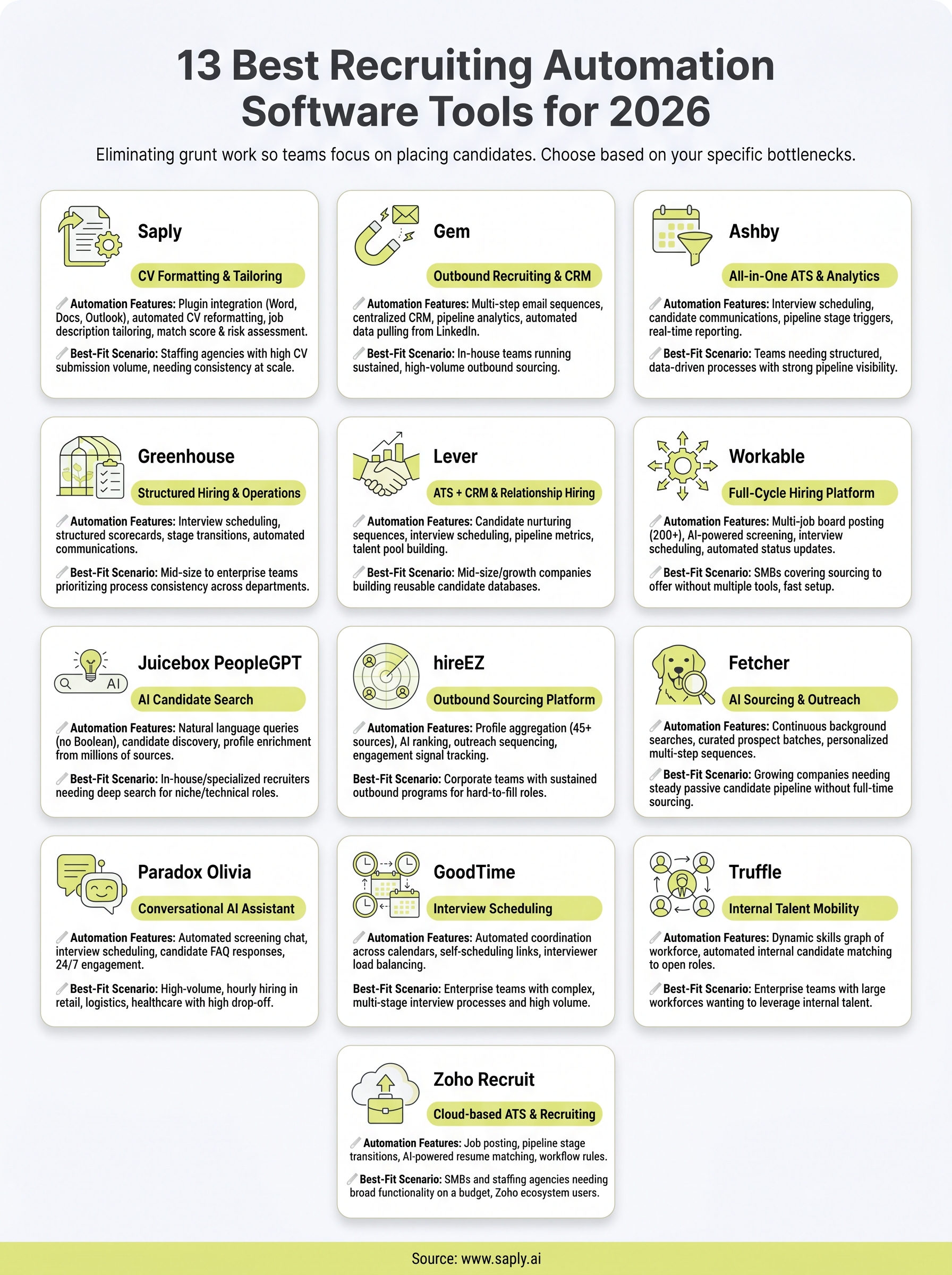
Recruiters at staffing agencies lose hours every week on tasks that software could handle in seconds, formatting CVs, tailoring resumes to job descriptions, screening applicants, scheduling interviews. The best recruiting automation software eliminates that grunt work so your team can focus on actually placing candidates.
But the category has gotten crowded. Some tools automate sourcing. Others handle interview scheduling or candidate engagement. A few, like Saply, focus specifically on CV formatting and tailoring, turning raw resumes into role-ready submissions inside the tools recruiters already use. The right choice depends entirely on where your team’s bottlenecks are.
This guide breaks down 13 recruiting automation tools worth evaluating in 2026, covering what each one does, who it’s built for, and how it fits into a staffing agency workflow. Whether you need end-to-end automation or a targeted solution for a specific pain point, you’ll walk away with a clear shortlist to test.
1. Saply
Saply is built for one specific problem: staffing agency recruiters spending too much time formatting and tailoring CVs before submission. Rather than adding another standalone app to your stack, it works as a plugin inside the tools you already use, including Microsoft Word, Google Docs, and Outlook. That makes adoption fast and the learning curve nearly flat.
How Saply automates recruiting workflows
The platform handles the two most time-consuming steps in a recruiter’s daily workflow: formatting CVs to your agency’s template and tailoring content to match a specific job description. You paste or import a job description, and Saply analyzes the candidate’s CV against it, surfacing skill gaps, certifications, and strengths while adjusting the document to fit the role. It also generates a match score and risk assessment so you know how confidently you can pitch that candidate before you hit send.
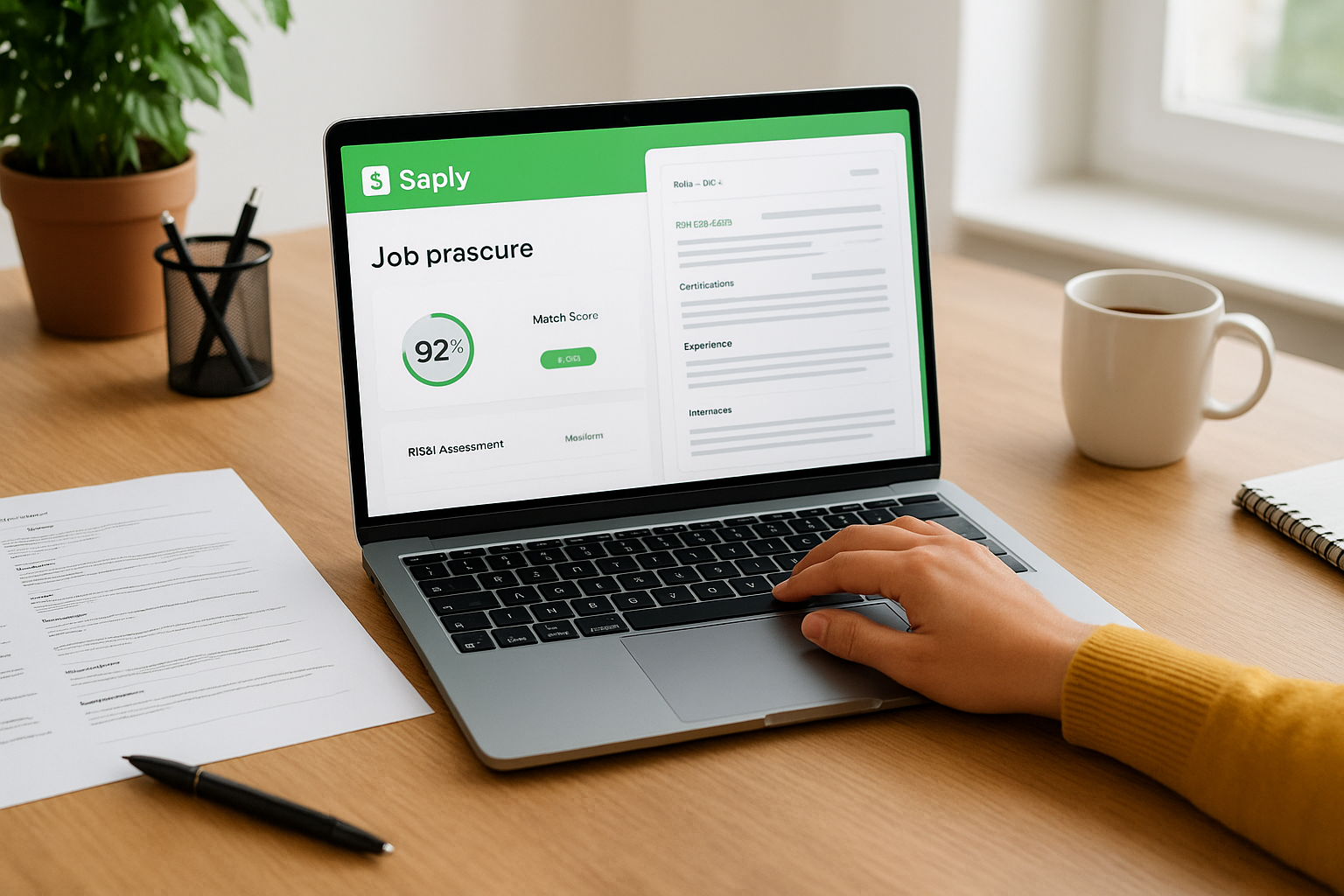
That combination of formatting automation and match scoring means your team submits better CVs faster, without switching between applications or copy-pasting content manually.
Best-fit teams and hiring scenarios
Saply works best for staffing agencies and recruitment consultancies that handle high volumes of candidate submissions across multiple client roles. If your team spends a meaningful chunk of each day reformatting resumes or rewriting bullet points to align with job specs, Saply directly reduces that load. It’s particularly useful when your agency has a defined CV template you submit to every client and you need consistency at scale.
Setup and integrations to consider
Setup is straightforward. Saply integrates with Microsoft Word, Google Docs, and Outlook as a plugin, so there’s no new software to install or learn from scratch. On the ATS side, it connects with Bullhorn, Carerix, and Spott, with additional systems available on request. If you use a custom CV template, Saply can incorporate it within 48 hours.
Pricing and buying notes
The platform runs on a CV credit system billed monthly or annually, so you pay based on usage rather than a flat per-seat fee. You can start with a 14-day free trial without entering a credit card. For any staffing team evaluating the best recruiting automation software, that trial gives you enough runway to process real submissions and measure actual time saved before you commit.
2. Gem
Gem is a talent acquisition platform built around outbound recruiting and pipeline management. Where most ATS tools sit back and wait for applications, Gem gives your team the tools to proactively source and engage candidates through automated outreach sequences and a centralized recruiting CRM.
How Gem automates recruiting workflows
Gem automates multi-step email sequences to prospective candidates, tracking open rates, replies, and engagement across every campaign. It pulls candidate data from LinkedIn and other sources directly into a CRM, so your team stops manually logging every touchpoint. The platform also surfaces pipeline analytics showing where candidates drop off and which sourcing channels produce the best placements.

That combination of outbound automation and CRM visibility makes Gem particularly effective for teams running structured, high-volume sourcing campaigns.
Best-fit teams and hiring scenarios
Gem fits in-house talent acquisition teams at mid-size to enterprise companies running sustained outbound sourcing programs. It’s less suited for staffing agencies focused on CV submission volume, and better aligned with corporate recruiters building passive candidate pipelines over weeks or months.
Setup and integrations to consider
Gem integrates with LinkedIn Recruiter, major ATS platforms including Greenhouse, Lever, and Workday, and standard email providers. Setup involves configuring outreach sequences and CRM fields to match your existing workflow, which takes some initial time investment before you see full efficiency gains.
Pricing and buying notes
Gem does not publish pricing publicly. You’ll need to request a demo to receive a quote, and costs scale with team size and feature tier. It sits at the enterprise end of the market, so weigh that budget requirement carefully when comparing the best recruiting automation software options available to your team.
3. Ashby
Ashby is a modern all-in-one ATS and recruiting platform that combines applicant tracking, analytics, and scheduling automation in a single product. It targets teams that want to eliminate tool sprawl by consolidating sourcing, pipeline management, and candidate communications into one system rather than stitching together multiple point solutions.
How Ashby automates recruiting workflows
Ashby automates interview scheduling, candidate communications, and pipeline stage triggers based on rules you define. When a candidate advances to a new stage, Ashby can automatically send follow-up emails, update interviewers’ calendars, and log activity without manual input. Its reporting and analytics layer runs in the background, giving you real-time data on pipeline health, time-to-hire, and recruiter capacity across every open role.
That level of built-in automation means your team spends less time on administrative handoffs and more time on conversations that actually move candidates forward.
Best-fit teams and hiring scenarios
Teams that need structured, data-driven hiring processes with strong pipeline visibility will get the most from Ashby. It performs particularly well for companies running multiple concurrent roles where scheduling efficiency and stage-level analytics are ongoing priorities. Staffing agencies focused purely on CV submission volume will find it less targeted to their specific workflow.
Setup and integrations to consider
The platform connects with major calendar tools and HRIS systems, and its API supports custom integrations. Configuring your automation rules and pipeline stages during setup takes a few days depending on your hiring complexity, so budget time upfront.
Pricing and buying notes
Ashby does not publish flat pricing publicly. You request a quote based on company size and feature needs. It sits at the premium end of the market, so compare it carefully against other best recruiting automation software options before committing.
4. Greenhouse
Greenhouse is one of the most recognized names in applicant tracking, built to bring structure and consistency to the full hiring process. It started as an ATS and has grown into a broader recruiting operations platform that spans job posting, candidate evaluation, offer management, and analytics.
How Greenhouse automates recruiting workflows
Greenhouse automates interview scheduling, structured scorecards, and candidate stage transitions across every open role in your pipeline. When you configure a job, you define the exact interview plan and evaluation criteria upfront, and the platform guides interviewers through that process automatically. It also handles automated candidate communications at each stage, reducing the manual back-and-forth that slows hiring down.
That structured approach means every candidate moves through the same process, which produces cleaner data and more defensible hiring decisions over time.
Best-fit teams and hiring scenarios
Greenhouse suits mid-size to enterprise in-house talent teams that prioritize process consistency and structured interviewing at scale. It works particularly well for companies hiring across multiple departments simultaneously, where keeping every hiring manager aligned on evaluation criteria is a recurring challenge.
Setup and integrations to consider
The platform connects with hundreds of third-party tools through its partner marketplace, including HRIS platforms, background check providers, and scheduling tools. Initial setup requires configuring your job templates and interview plans, which takes meaningful time depending on how complex your hiring workflows are.
Pricing and buying notes
Greenhouse does not publish standard pricing publicly. You need to request a custom quote based on your headcount and feature requirements, and it ranks among the more expensive options when evaluating the best recruiting automation software category.
5. Lever
Lever is a recruiting platform that combines an ATS and CRM into one product, giving your team a single place to manage both inbound applications and outbound candidate nurturing. It’s built for companies that want relationship-driven hiring without juggling separate tools for tracking and outreach.
How Lever automates recruiting workflows
Lever automates candidate nurturing sequences, interview scheduling, and pipeline stage transitions so your team spends less time on manual follow-up. Its CRM component lets you build talent pools and automatically re-engage past candidates when a relevant role opens. The platform also tracks recruiter activity and pipeline metrics in real time, giving managers visibility into which roles are moving and which are stalled.
That combination of ATS structure and CRM automation makes Lever particularly useful when your team needs to stay connected with candidates over longer hiring cycles.
Best-fit teams and hiring scenarios
Lever works best for mid-size companies and growth-stage businesses that hire across multiple functions and want to build a reusable candidate database over time. If your team manages both active requisitions and passive talent pipelines simultaneously, Lever handles both without requiring you to switch between systems.
Setup and integrations to consider
The platform connects with major HRIS systems, background check providers, and calendar tools. Configuring your pipeline stages and nurture sequences takes some upfront setup time, so plan accordingly before going live.
Pricing and buying notes
Lever does not list pricing publicly and requires a demo to receive a quote. It sits at the mid-to-upper price range within the best recruiting automation software market, so verify your budget fit early.
6. Workable
Workable is a hiring platform that covers the full recruitment cycle from job posting to offer letter, combining an ATS, sourcing tools, and built-in automation in one product. It’s designed for companies that want broad coverage across every hiring stage without stitching together multiple standalone tools.
How Workable automates recruiting workflows
The platform automates job distribution across 200+ job boards, candidate screening through AI-powered scoring, and interview scheduling via calendar integrations. As applications come in, Workable ranks candidates based on criteria you define, reducing the time your team spends manually reviewing every submission. It also sends automated status updates to candidates at each pipeline stage, keeping communication consistent without extra recruiter effort.
That combination of sourcing reach and automated screening puts Workable among the more complete options in the best recruiting automation software market for teams hiring across multiple roles at once.
Best-fit teams and hiring scenarios
Small to mid-size businesses that need a single platform covering sourcing, applicant tracking, and candidate communication without heavy IT involvement will find Workable a strong fit. If your team posts roles across multiple job boards and needs structured screening at volume, it handles that efficiently out of the box.
Setup and integrations to consider
Workable connects with major calendar apps, HRIS systems, and background check providers, and most teams are fully operational within a few days. Its setup is noticeably quicker than enterprise-grade alternatives, which matters when your team needs to move fast on open roles.
Pricing and buying notes
Workable offers tiered pricing plans, including a pay-per-job option that works well for smaller teams with fluctuating hiring volume. A free trial is available, so you can run real requisitions through the platform before committing to a plan.
7. Juicebox PeopleGPT
Juicebox PeopleGPT is an AI-powered candidate search platform that replaces traditional Boolean search with natural language queries, letting recruiters describe the person they need in plain English instead of building complex search strings.
How Juicebox PeopleGPT automates recruiting workflows
PeopleGPT automates candidate discovery and profile enrichment by interpreting your natural language input and searching across hundreds of millions of public profiles to surface ranked matches. That removes the manual work of writing Boolean queries and cross-referencing multiple sourcing databases every time you open a new role.
For teams that spend significant time just getting to a usable candidate list before outreach even starts, that search automation cuts a real chunk out of the daily workflow.
Best-fit teams and hiring scenarios
This tool fits in-house talent teams and specialized recruiters who source passive candidates on a regular basis and want to spend less time constructing searches. Your team will see the most value on niche or technical roles where standard job board searches return thin results and deeper database access matters.
Setup and integrations to consider
The platform is largely self-serve and browser-based, which makes onboarding significantly faster than heavier enterprise ATS tools. Its ATS and HRIS integration options are more limited than broader platforms, so check compatibility with your current stack before you commit.
Pricing and buying notes
Juicebox offers tiered subscription plans based on search volume and team size. Unlike many tools in the best recruiting automation software category, pricing is listed directly on their site, which lets you assess budget fit without scheduling a sales call first.
8. hireEZ
hireEZ (formerly Hiretual) is an outbound recruiting platform that aggregates candidate profiles from over 45 public sources, including LinkedIn, GitHub, and various professional directories, then ranks them against your role requirements using AI.
How hireEZ automates recruiting workflows
The platform automates candidate discovery and outreach sequencing so your team can go from an open role to a prioritized list of engaged prospects without manually combing through multiple databases. hireEZ also tracks email campaign performance and candidate engagement signals, surfacing which prospects are actively looking based on behavioral data like job change activity and profile updates.
That combination of multi-source aggregation and engagement tracking reduces the time between opening a requisition and getting your first qualified responses.
Best-fit teams and hiring scenarios
hireEZ fits corporate talent acquisition teams and technical recruiters who run sustained outbound sourcing programs and need deeper candidate coverage than a single platform like LinkedIn provides. Your team will get the most value on specialized or hard-to-fill roles where passive candidates rarely apply through traditional job board channels.
Setup and integrations to consider
The platform connects with major ATS systems including Greenhouse, Lever, Workday, and Bullhorn, so your sourcing activity flows directly into your existing pipeline without manual data entry. Initial configuration of your search preferences and outreach templates takes a few hours, and most teams are operational the same day.
Pricing and buying notes
hireEZ uses custom pricing based on team size and sourcing volume. Like many tools in the best recruiting automation software space, you need to request a demo to get a quote, so build that step into your evaluation timeline early.
9. Fetcher
Fetcher is an AI-powered sourcing and outreach platform that automates candidate discovery by running continuous background searches against your defined role criteria and delivering curated prospect batches directly to your team on a regular cadence.
How Fetcher automates recruiting workflows
The platform handles automated sourcing and email outreach by searching for matching candidates on your behalf, presenting approved profiles for a quick review, and then sending personalized multi-step sequences without any manual input from your team. Fetcher tracks replies, open rates, and engagement signals so you always know where each prospect stands across your active outreach campaigns.
That hands-off sourcing model lets your recruiters focus on conversations rather than constructing searches from scratch each time a new role opens.
Best-fit teams and hiring scenarios
Your team gets the most value from Fetcher when you run consistent, ongoing hiring programs across multiple functions rather than occasional one-off roles. It suits in-house talent teams at growing companies that want a steady pipeline of passive candidates without dedicating full-time sourcing headcount to build one.
Setup and integrations to consider
Fetcher connects with major ATS platforms including Greenhouse, Lever, and Workday, pushing approved candidate data directly into your existing pipeline. Most teams complete setup within a day by configuring role criteria and outreach templates through a guided onboarding flow, which is a faster start than most enterprise-grade alternatives require.
Pricing and buying notes
Pricing is subscription-based and scales with active roles and team size. Like many tools in the best recruiting automation software category, exact costs require a demo request rather than appearing publicly on their site, so build that step into your evaluation timeline early.
10. Paradox Olivia
Paradox Olivia is a conversational AI assistant built to handle the repetitive, high-volume candidate interactions that eat up recruiter time before any human conversation actually needs to happen. Rather than automating pipeline management or sourcing, Olivia focuses on front-line candidate communication, screening applicants, answering questions, and scheduling interviews entirely through a chat interface.
How Paradox Olivia automates recruiting workflows
Olivia handles automated screening conversations, interview scheduling, and candidate FAQ responses through text or chat without recruiter involvement. When a candidate applies or reaches out, Olivia engages them immediately, asks qualifying questions based on the role criteria you configure, and books interviews directly into your interviewers’ calendars once a candidate clears your screening threshold. That removes the back-and-forth that typically delays high-volume hiring by days.
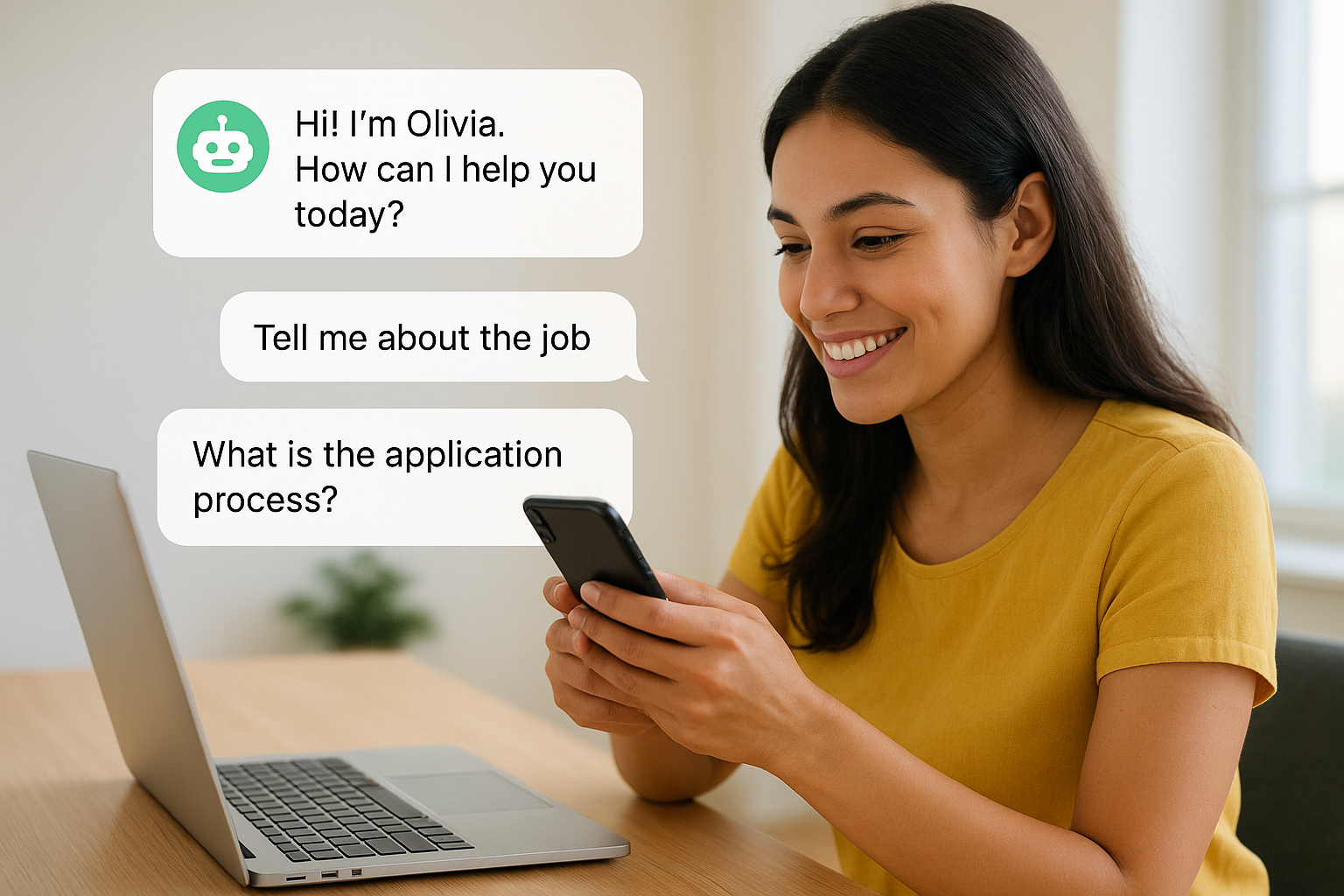
For teams filling dozens or hundreds of roles simultaneously, that immediate response capability keeps candidates engaged before they accept a competing offer.
Best-fit teams and hiring scenarios
Olivia performs best for high-volume, hourly hiring scenarios in retail, logistics, healthcare, and food service, where candidate drop-off between application and interview is a persistent problem. Your team benefits most when you need consistent, 24/7 candidate engagement at a scale that human recruiters cannot sustain without significant headcount.
Setup and integrations to consider
The platform connects with major ATS systems including Workday, Taleo, and Greenhouse. Configuration requires mapping your screening questions and scheduling logic to each role type, which takes meaningful setup time upfront.
Pricing and buying notes
Paradox does not publish pricing publicly, placing it at the enterprise tier of the best recruiting automation software market. A custom demo and quote are required before any purchasing decision.
11. GoodTime
GoodTime focuses on one of the most time-consuming coordination tasks in recruiting: scheduling interviews across multiple interviewers, time zones, and candidate availability windows. Rather than trying to cover every stage of the hiring process, it goes deep on scheduling intelligence and automation to solve that specific problem well.
How GoodTime automates recruiting workflows
GoodTime eliminates the manual back-and-forth of interview coordination by automatically finding open slots across your interviewers’ calendars, sending candidates self-scheduling links, and confirming bookings without recruiter involvement. The platform also handles interviewer load balancing, distributing interview volume evenly across your panel to prevent any single interviewer from getting overloaded during high-volume hiring sprints.
That automated scheduling layer can cut days off your time-to-interview on complex roles that require multiple panel rounds with different stakeholders involved.
Best-fit teams and hiring scenarios
Your team gets the most from GoodTime when you run structured multi-stage interview processes with several interviewers per candidate, which is common in engineering, finance, and leadership hiring. It fits enterprise talent acquisition teams that coordinate dozens of interviews per week and need a dedicated scheduling solution rather than relying on manual calendar management or generic meeting tools.
Setup and integrations to consider
GoodTime connects with major calendar platforms including Google Calendar and Outlook, and integrates with leading ATS systems such as Greenhouse and Workday. Configuring your interviewer panels and scheduling rules requires upfront setup time, but most teams are fully operational within a week of starting implementation.
Pricing and buying notes
GoodTime sits at the enterprise pricing tier within the best recruiting automation software market and does not publish rates publicly. You need to request a custom demo to receive an accurate quote based on your team size and hiring volume.
12. Truffle
Truffle is an internal talent mobility platform that automates the process of identifying and surfacing qualified candidates from within your existing workforce before you ever post a role externally. It sits in a distinct corner of the best recruiting automation software market by treating your current employees as the first sourcing pool, not an afterthought.
How Truffle automates recruiting workflows
Truffle builds a dynamic skills graph of your workforce by analyzing employee profiles, project history, and stated career interests, then automatically matches that data against open requisitions as soon as a new role is created. That matching runs continuously in the background, so your recruiting team receives ranked internal candidate suggestions without manually reviewing org charts or relying on manager recommendations to surface the right people.

That automated internal sourcing step can meaningfully reduce your time-to-fill on roles where a strong internal candidate already exists but wouldn’t typically surface through standard channels.
Best-fit teams and hiring scenarios
Your team gets the most from Truffle when you manage a large or growing workforce where institutional knowledge about individual employee skills and career goals is fragmented across managers and systems. It fits enterprise talent teams with consistent internal hiring volume and a strategic interest in reducing external recruiting costs.
Setup and integrations to consider
Truffle connects with major HRIS platforms to pull employee data and role information during onboarding. Configuration requires setting up your skills taxonomy and career path logic, which takes a few weeks to get right before the matching quality reaches its full potential.
Pricing and buying notes
Truffle uses custom enterprise pricing tied to workforce size and does not publish rates publicly. A demo call is required to receive an accurate quote.
13. Zoho Recruit
Zoho Recruit is a cloud-based ATS and recruiting platform that covers the full hiring cycle from requisition to offer, built as part of the broader Zoho business software ecosystem. It targets organizations that want solid recruiting automation at a price point that doesn’t require an enterprise budget.
How Zoho Recruit automates recruiting workflows
Zoho Recruit automates job posting across multiple job boards, candidate parsing, and pipeline stage transitions through configurable workflow rules. When a candidate reaches a defined stage, the platform can automatically send emails, assign tasks to team members, or update records without manual input.
Its AI-powered resume matching scores incoming applicants against your job requirements, surfacing the strongest fits without requiring your team to manually review every submission before shortlisting.
That built-in scoring and workflow automation puts Zoho Recruit among the more affordable complete options in the best recruiting automation software category at its price tier.
Best-fit teams and hiring scenarios
Zoho Recruit fits small to mid-size businesses and staffing agencies that need broad recruiting functionality without paying enterprise-tier prices. Your team benefits most when you already use other Zoho products like Zoho CRM or Zoho People, since native integration between those platforms removes the data-syncing friction that complicates mixed-vendor stacks.
Setup and integrations to consider
The platform connects with major job boards, calendar tools, and background check providers, and its Zoho ecosystem integrations require minimal configuration out of the box. Most teams complete initial setup and move into active recruiting within a few days, which is faster than most enterprise alternatives require.
Pricing and buying notes
Zoho Recruit offers transparent, tiered pricing published directly on their site, including a free plan for individual recruiters. Paid plans scale by the number of active job postings and users, so you can match spend to actual hiring volume without negotiating a custom contract.
Next steps
The best recruiting automation software for your team depends on where you lose the most time right now. If your bottleneck is CV formatting and tailoring, the tools built for ATS management or interview scheduling won’t solve it. You need something that targets the actual problem, not the general category.
Work through the list above and identify the one or two workflows that cost your team the most hours each week. Start your evaluation there rather than chasing the tool with the longest feature list. Most platforms on this list offer a free trial or demo, so you can pressure-test your shortlist against real work before spending a budget.
If your team submits high volumes of candidate CVs and spends too much time reformatting and tailoring them manually, try Saply free for 14 days and measure the time you save on your first week of real submissions.