how-recruitment-software-works
How Recruitment Software Works: The ATS Process End-to-End
Most recruiters interact with recruitment software every day but rarely think about what's happening behind the interface. Understanding how recruitment software works, from the moment a job gets post...
Written by: Saply Team
How Recruitment Software Works: The ATS Process End-to-End
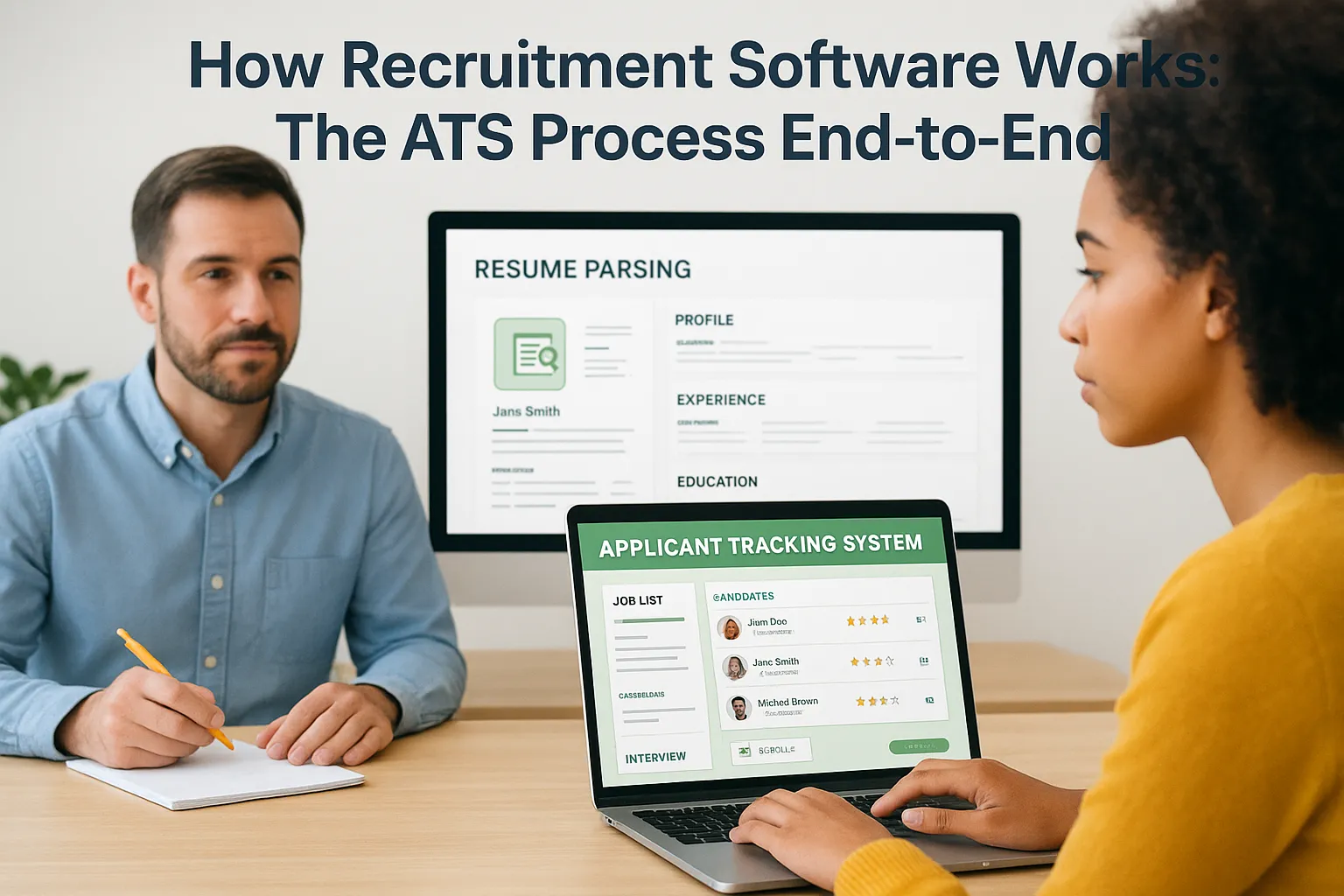
Most recruiters interact with recruitment software every day but rarely think about what’s happening behind the interface. Understanding how recruitment software works, from the moment a job gets posted to the final hire, gives you a real advantage. It helps you work faster, avoid common pitfalls like resume parsing errors, and get more out of the tools you’re already paying for.
At its core, an ATS handles the movement of candidates through your hiring pipeline. It parses resumes, screens applicants, tracks communications, and organizes data so nothing slips through the cracks. But the process has layers that aren’t always obvious, and each stage creates opportunities to either gain speed or lose it. For staffing agencies running high volumes, those gaps add up quickly, which is exactly why we built Saply to plug into this workflow and eliminate the manual CV formatting and tailoring bottleneck before submissions go out.
This article breaks down the end-to-end ATS process step by step: how jobs flow in, how resumes get parsed and ranked, how candidates move through stages, and where automation actually helps versus where it falls short. Whether you’re evaluating a new system or trying to optimize your current stack, you’ll walk away with a clear picture of what’s happening under the hood and how to make it work harder for you.
What recruitment software includes
Recruitment software is an umbrella term that covers several interconnected tools, but the Applicant Tracking System (ATS) sits at the center of nearly every hiring workflow. Understanding how recruitment software works starts with knowing what’s actually inside these platforms, because not every product offers the same set of modules. Most enterprise-grade systems bundle job posting, resume parsing, candidate tracking, and reporting into a single interface, while lighter tools focus on just one or two functions. Knowing the difference helps you evaluate what you actually have versus what you might be missing in your current stack.
Core modules in a modern ATS
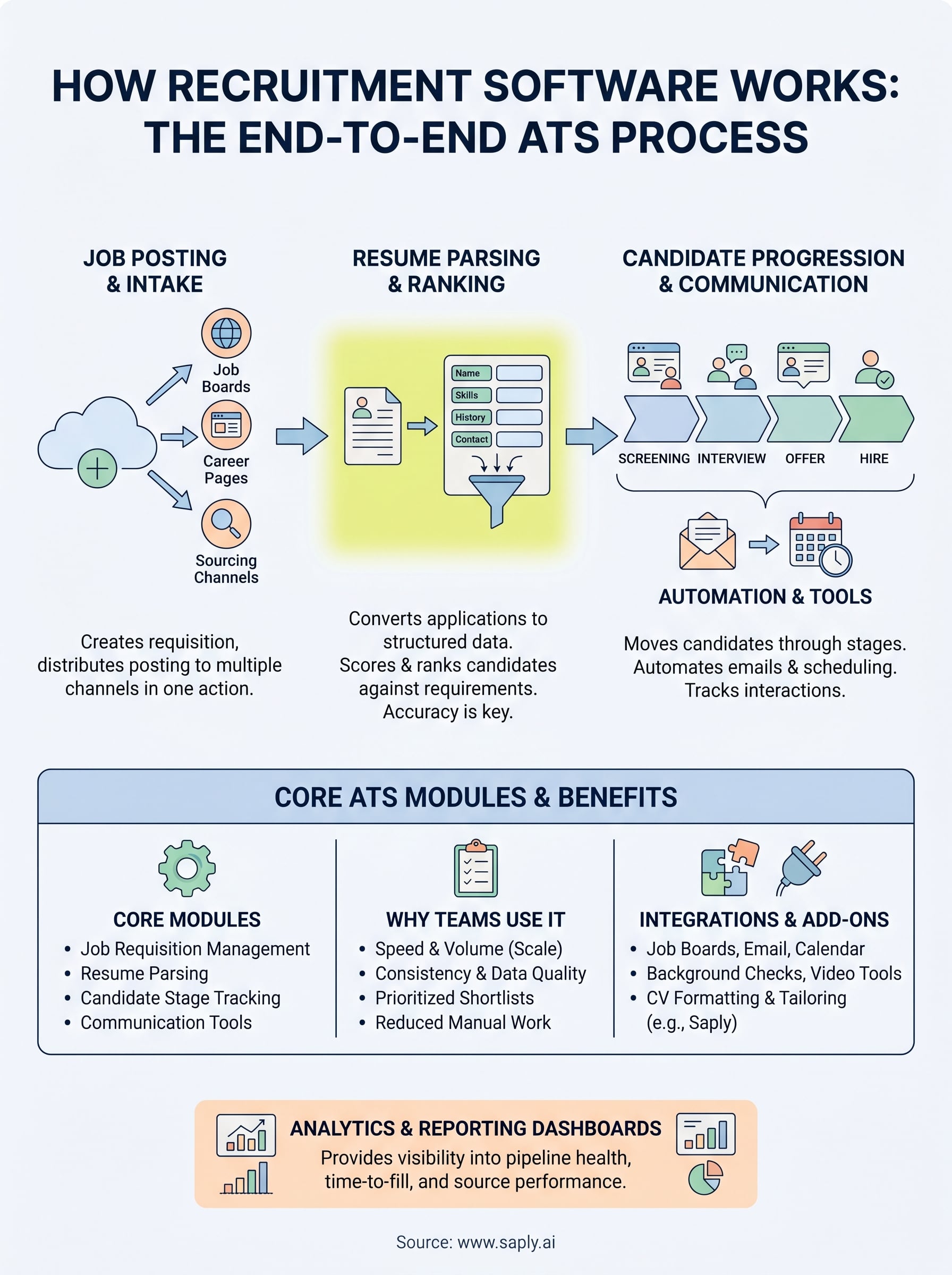
Every full-featured ATS includes a set of foundational capabilities that handle the hiring pipeline from start to finish. Job requisition management lets you create, approve, and publish open roles to job boards and career pages with a single action, reducing the back-and-forth between hiring managers and recruitment teams. Resume parsing converts incoming applications into structured data fields, automatically pulling out names, contact details, work history, education, and skills so the system can store and search candidate profiles without manual data entry at each step.

The accuracy of your resume parsing engine directly determines how well candidates get ranked, and errors at this stage ripple through every step that follows.
Beyond parsing, the ATS handles candidate stage management, the workflow that moves applicants from “applied” through screening, interviews, offer, and hire. Most systems also include built-in communication tools like automated email sequences and calendar integrations to keep candidates progressing without requiring you to write every message from scratch. Reporting dashboards sit on top of all of this, giving managers visibility into pipeline health, time-to-fill, and source performance across open roles.
Integrations and add-ons
A standalone ATS rarely covers everything a staffing agency needs, which is why integrations with external tools play a central role in how these platforms perform in practice. At minimum, you should expect reliable connections to major job boards, your email client, and your calendar. More advanced platforms connect to background check providers, video interviewing tools, and payroll systems, so candidate data flows through the full hiring lifecycle without manual re-entry at each handoff.
Add-ons like AI-powered matching, skills assessments, and CV formatting tools extend what the core ATS can do. For staffing agencies specifically, the step of formatting and tailoring candidate CVs to client-specific templates is one most ATS platforms handle poorly or skip entirely. That gap is where purpose-built tools like Saply connect directly to your existing stack, applying formatting and job-specific tailoring inside the tools you already use every day.
Why teams use recruitment software
Understanding how recruitment software works gives you the foundation, but the more practical question is why teams adopt it in the first place. The honest answer is volume. Hiring teams that manage dozens or hundreds of open roles simultaneously cannot track every candidate interaction manually without missing applications, losing time, or making inconsistent decisions. Recruitment software shifts that burden from people to systems, freeing your team to focus on conversations and judgment calls that actually require a human.
Speed and volume at scale
High-volume hiring creates pressure that spreadsheets and email chains cannot absorb. When you receive hundreds of applications for a single role, manually reviewing each one before a competitor fills the position is not realistic. An ATS compresses that review cycle by parsing, filtering, and ranking candidates automatically, so your team starts each day with a prioritized shortlist rather than a raw pile of unprocessed submissions.
The teams that fill positions fastest are rarely the ones working the hardest manually. They are the ones with the best systems behind them.
For staffing agencies specifically, submission speed is a direct competitive advantage. The agency that gets a formatted, tailored CV in front of a client first often wins the placement, which is why automating every step before submission matters more than most teams realize.
Consistency and data quality
Recruitment software also standardizes how candidate data gets captured and stored, which matters both for compliance and for making reliable hiring decisions. Without a structured system, different recruiters on the same team record information differently, making it nearly impossible to compare candidates fairly or pull accurate reports. A well-configured ATS enforces consistent data fields, so your pipeline stays clean and your reporting reflects what is actually happening in your hiring process rather than a patchwork of individual habits.
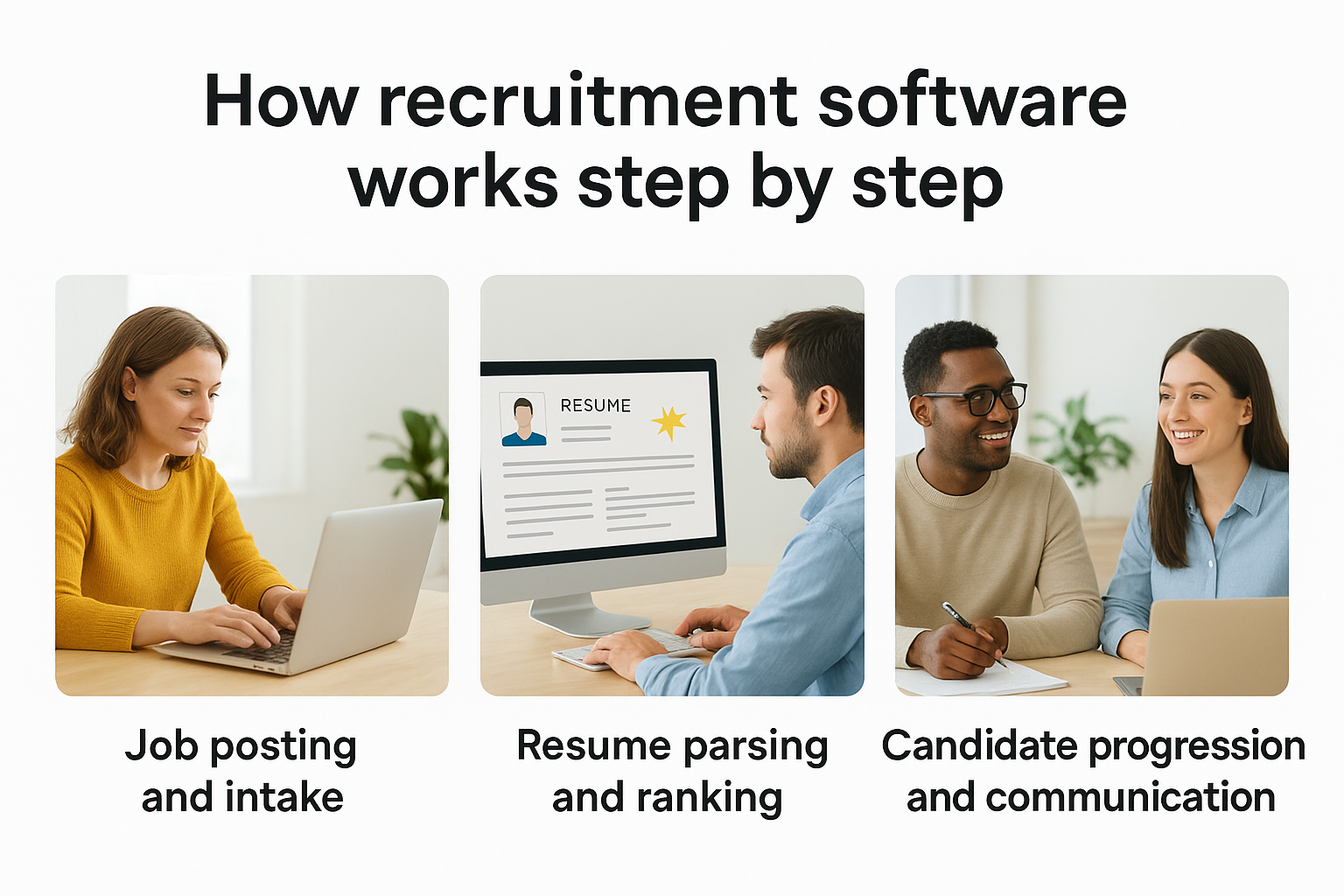
How recruitment software works step by step
Understanding how recruitment software works in sequence helps you identify exactly where time gets saved, and where the process can still break down. The typical ATS lifecycle runs from job creation through to hire, with each stage feeding data into the next. When one step works poorly, the downstream stages inherit those problems, which is why knowing the full flow matters more than understanding any single feature in isolation.
Step 1: Job posting and intake
The process starts when a recruiter creates a job requisition inside the ATS. From there, the system distributes the posting to connected job boards, career pages, and sourcing channels in a single action. Inbound applications land directly in the ATS and get assigned to that specific role, so every candidate is immediately linked to the position they applied for without manual sorting.
A clean intake process prevents duplicate records and misrouted applications before they become a problem later in your pipeline.
Step 2: Resume parsing and ranking
As applications come in, the ATS parses each resume into structured data fields including contact information, work history, skills, and education. Many platforms then apply scoring logic to rank candidates based on how closely their parsed profile matches the job requirements. Your team sees a prioritized list rather than a raw inbox, which compresses the initial review stage significantly.
Step 3: Candidate progression and communication
Once candidates enter your pipeline, the ATS moves them through defined stages: screening, interview, offer, and hire. Automated email templates and calendar integrations handle routine communication at each transition, so candidates stay informed without your team writing individual messages. Hiring managers can log feedback, flag candidates, and trigger next steps directly inside the system, keeping the entire team aligned on where each applicant stands.
Key ATS features and what they do
Knowing how recruitment software works at a feature level helps you get more from your system rather than only using the most obvious tools. Most teams use less than half of their ATS capabilities because features are poorly documented or buried in settings menus. The sections below cover the core features that directly affect your hiring speed and the accuracy of your data.
Resume parsing and candidate search
Resume parsing converts unstructured document text into searchable, structured data fields your ATS can store and query. When it works well, you can search your entire candidate database by skill, title, location, or certification in seconds. Weak parsing engines create invisible data gaps that push qualified candidates out of search results entirely, so testing your parser’s accuracy on real CVs before relying on it is worth the effort.
Workflow automation and stage triggers
Automation rules let your ATS perform defined actions when candidates reach specific pipeline stages, such as sending a confirmation email, alerting a hiring manager, or scheduling the next interview step. These triggers remove repetitive manual tasks from your team’s day without requiring any action on your part once they are configured. Setting up precise stage triggers at the start of each campaign prevents missed follow-ups and keeps candidates moving without manual nudging.
The more precisely you configure your automation rules upfront, the less your team touches routine tasks during the actual hiring push.
Analytics and pipeline reporting
Your ATS generates usable data at every stage of the hiring process, from source performance and time-in-stage to offer acceptance rates and drop-off points. Reporting dashboards surface patterns that individual record reviews would never reveal. Tracking source quality and stage conversion rates gives your team the insight to adjust mid-campaign rather than waiting until a role closes to understand what went wrong.
How to choose and implement recruitment software
Choosing the right system requires more than comparing feature lists. How recruitment software works in your specific workflow depends on what your team actually handles daily, which means your evaluation should start with your own process before you look at any vendor. Map out where your current bottlenecks sit, whether that is resume intake, candidate communication, or CV formatting before client submission, and use those gaps as your primary filter when reviewing options.
Evaluate fit before features
Most platforms offer similar core capabilities, so the real differentiator is how cleanly each system integrates with the tools your team already uses. If your recruiters work in Bullhorn, Carerix, or a specific document editor, your new software needs to connect to those without adding friction. Prioritize integrations and ease of adoption over surface-level feature counts, and run a live pilot with your actual workflows before committing to a contract.
The software that fits your current stack will always outperform a more powerful system that your team avoids using.
Test your shortlisted platforms on real candidate data. Check how accurately the parser handles different CV formats, how quickly you can configure stage automation, and whether the reporting dashboards surface the metrics your managers actually track. Ask vendors for specifics on implementation timelines and data migration support before signing anything.
Plan your rollout carefully
A staged rollout reduces disruption significantly. Start with one team or one role type to validate your configuration before expanding system-wide. Document your stage triggers, naming conventions, and data entry standards before going live so your team builds consistent habits from day one. Clean setup early prevents data quality problems that compound as your pipeline grows.
Key steps to complete before going live:
- Confirm data migration from your existing system
- Configure stage triggers and automation rules
- Train your team on naming conventions and data standards
- Run a test pipeline with real candidate records
Next steps for a smoother hiring workflow
Now that you understand how recruitment software works end-to-end, the next move is to identify the specific stage in your workflow that creates the most friction. For most staffing agencies, the biggest time loss sits between candidate intake and client submission, specifically in the manual formatting and tailoring of CVs before they go out. Every hour your team spends adjusting templates and rewriting bullet points is an hour not spent sourcing or placing candidates.
Your ATS handles a lot of the hiring pipeline, but CV formatting and job-specific tailoring remain gaps most platforms leave entirely unaddressed. Recruiters who close that gap submit faster, pitch with more confidence, and win more placements. Closing that gap is exactly what Saply does, connecting directly to the tools you already use to format, tailor, and match candidate CVs to open roles in one step. Start your 14-day free trial and see how much time your team reclaims in the first week.