
how-to-tailor-resume-to-job-description
How To Tailor Resume To Job Description: ATS Keyword Guide
A generic resume gets ignored. Recruiters and hiring managers spend seconds scanning each application, and applicant tracking systems (ATS) filter out candidates before a human even looks. Knowing how...
Written by: Saply Team
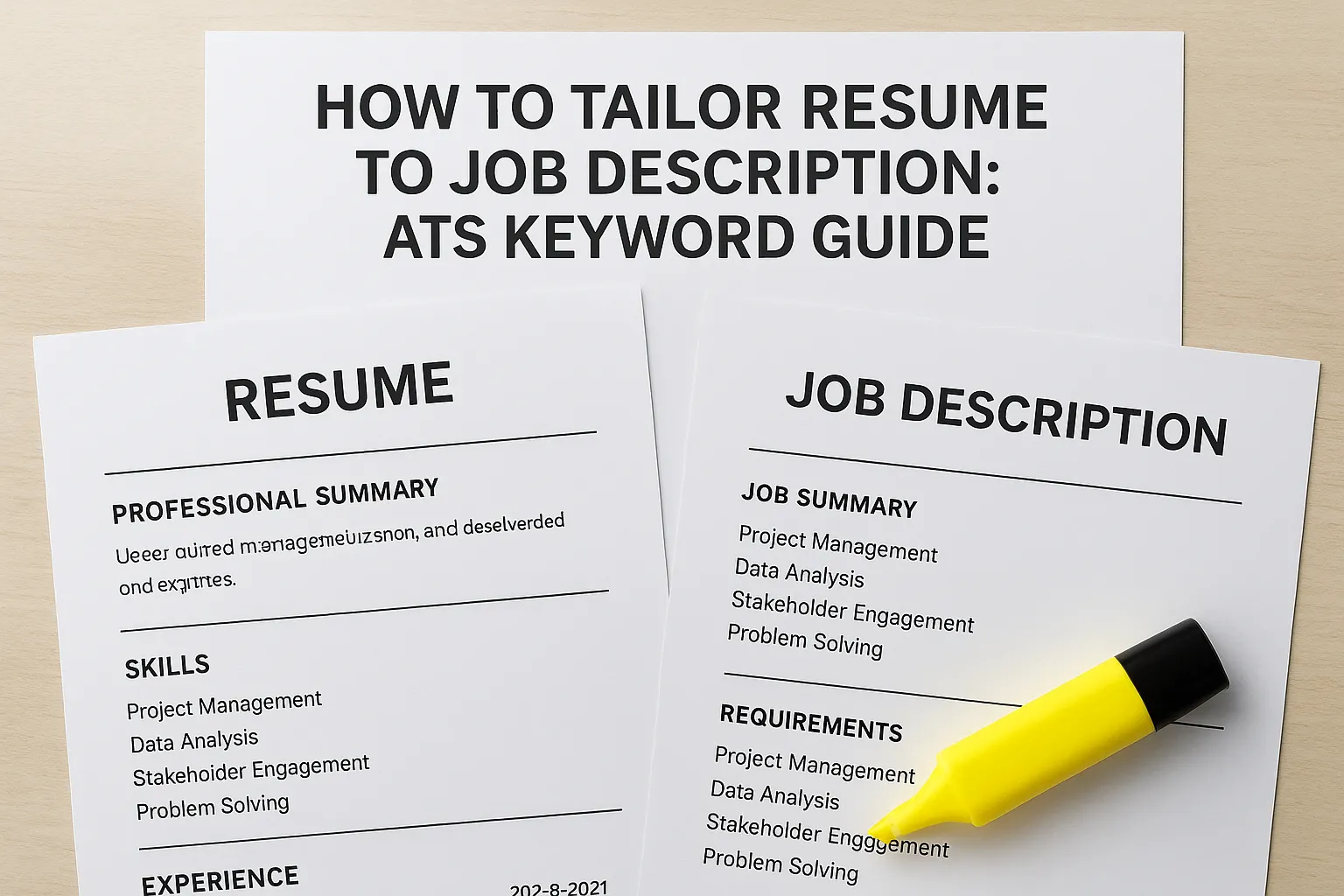
How To Tailor Resume To Job Description: ATS Keyword Guide
A generic resume gets ignored. Recruiters and hiring managers spend seconds scanning each application, and applicant tracking systems (ATS) filter out candidates before a human even looks. Knowing how to tailor resume to job description requirements is the single most effective way to move from the reject pile to the interview shortlist.
The process isn’t complicated, but it does require a deliberate approach. You need to decode what the job posting actually asks for, identify the right keywords, and rework your experience to mirror those requirements, without stuffing or fabricating. Most people skip this step because it’s tedious and time-consuming, especially when applying to multiple roles across different industries.
This guide breaks down the exact steps to align your resume with any job description, from extracting ATS keywords to restructuring bullet points with measurable results. You’ll also learn where AI-powered tools like Saply can handle the heavy lifting, automatically tailoring and formatting resumes to match specific job requirements in seconds, a workflow that staffing agencies and recruiters already rely on to speed up candidate submissions.
What tailoring means and how ATS scans resumes
Tailoring a resume isn’t about rewriting your entire work history for every job. It means strategically aligning your language, keywords, and framing to match what a specific employer asks for. When you know how to tailor resume to job description requirements, you’re not changing your experience; you’re presenting the same experience in the terms the employer uses to evaluate candidates.
The goal is not to become a different candidate. It’s to speak the hiring system’s language clearly enough that your actual qualifications get recognized.
What resume tailoring actually means
At its core, tailoring is about relevance and language matching. A job posting for a “Client Success Manager” and one for an “Account Manager” may describe nearly identical work, but if your resume says “account management” and the posting says “client success,” an ATS may not connect them. You need to mirror the exact terminology used in the job description rather than relying on synonyms or industry shorthand you prefer.
Adjusting your professional summary, skills section, and bullet points to lead with what the role prioritizes is equally important. A sales-heavy role should see revenue numbers and client acquisition metrics at the top of your bullets. A project management role should see timelines, budgets, and delivery frameworks. The same job experience reads very differently depending on what you emphasize first.
How ATS software reads and scores your resume
Most large employers and staffing firms route applications through an applicant tracking system before any human reviews them. The ATS parses your resume into structured fields: contact info, work history, education, and skills. It then scans for keyword matches against the job description and assigns a relevance score. Resumes that don’t reach a threshold score often never appear when a recruiter searches for candidates in the system.

ATS platforms vary in sophistication. Some use exact keyword matching, meaning “managed projects” and “project management” are treated as different terms. Others apply semantic matching that understands related phrases. Since you rarely know which system a company uses, the safest approach is to include the exact phrases from the job posting whenever they accurately describe your background.
Here’s what ATS systems typically evaluate when scoring a resume:
| Factor | What ATS Checks |
|---|---|
| Keyword match | Exact or near-exact terms from the job description |
| Job title alignment | How closely your past titles match the posted role |
| Skills section | Listed skills versus required and preferred skills |
| Education | Degree level and relevant field |
| Work history | Years of directly relevant experience |
Understanding this scoring logic turns the steps below into a practical, repeatable process rather than guesswork.
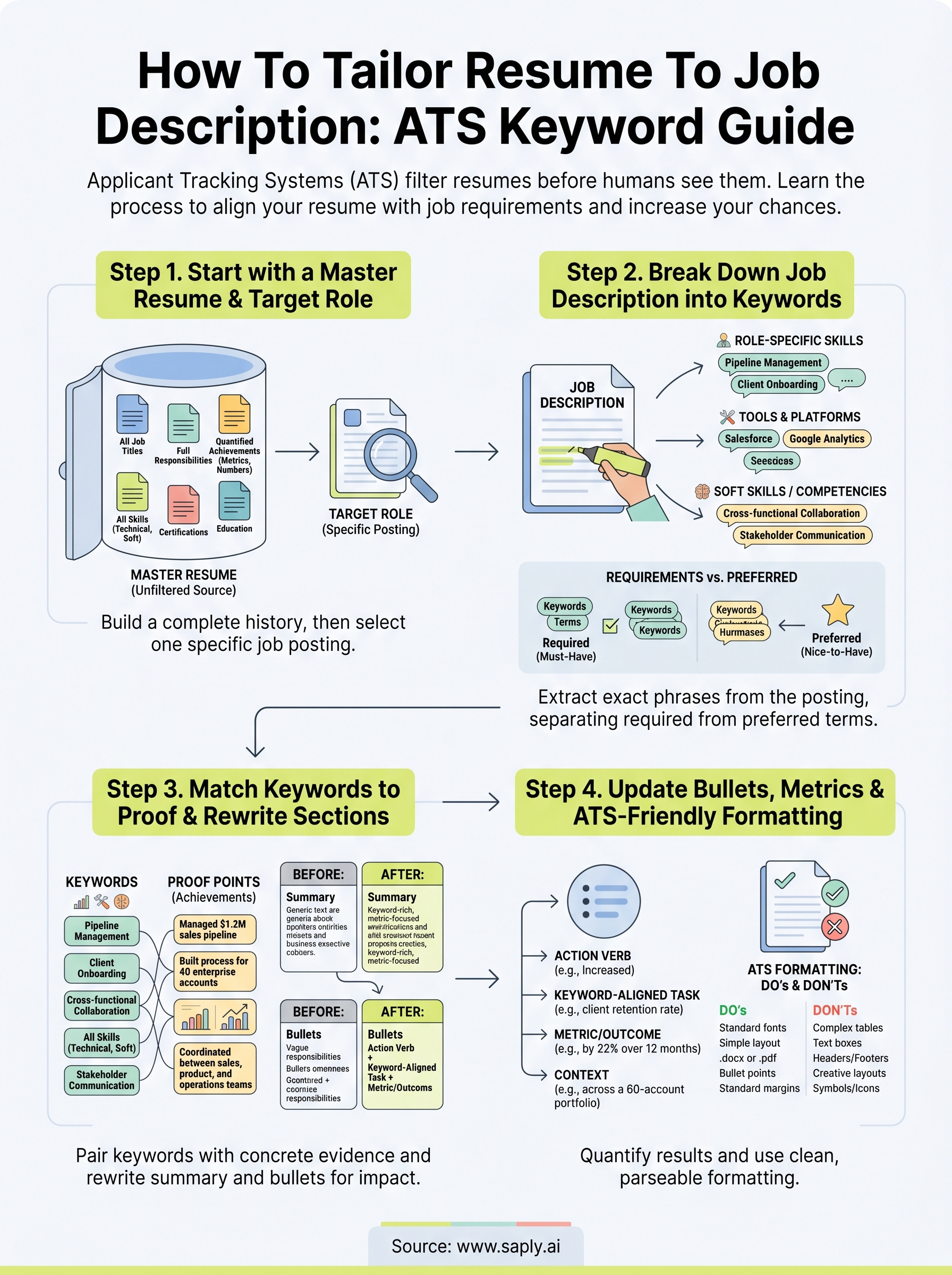
Step 1. Start with a master resume and target role
Before you can learn how to tailor resume to job description requirements effectively, you need a complete, unfiltered version of your professional history. This is your master resume: a document that includes every role, responsibility, skill, and achievement you’ve accumulated. You never submit this document directly, but it serves as your source material for every tailored version you create going forward.
Build your master resume first
Your master resume should capture everything you’ve done, even if it feels excessive at first. List every job title, every tool you’ve used, certifications, projects, metrics, and accomplishments across your entire career. When you tailor later, you’ll pull the most relevant pieces rather than trying to recall specific details under pressure.
Treat your master resume like a personal database. The more complete it is, the faster and more accurately you can tailor to any role.
Here’s what to include in your master resume:
- Job titles and employment dates for every position held
- Full bullet points describing each role’s responsibilities and results
- Quantified achievements (revenue generated, team size, cost savings, deadlines met)
- Technical skills, tools, software, and platforms used
- Certifications, licenses, and relevant training completed
- Education, including coursework relevant to your field
Identify your target role clearly
Once your master is ready, pick one specific job posting to tailor toward. Trying to create a single resume that works for multiple different roles at once dilutes every section. Open the job posting and read it from start to finish, paying close attention to the job title, reporting structure, required qualifications, and preferred skills. Note whether the role prioritizes technical depth, leadership, client-facing work, or something else entirely.
Save the full job description text in a separate document alongside your master resume. Having both open at the same time is the most practical setup for the steps ahead.
Step 2. Break down the job description into keywords
With your master resume ready and one job posting selected, the next step in learning how to tailor resume to job description requirements is to extract the specific language the employer uses. Reading the posting once isn’t enough. You need to actively pull keywords from the text and organize them by type so you know exactly what to prioritize when you rewrite.
Separate required from preferred qualifications
Job descriptions typically split requirements into two tiers: must-have qualifications and preferred or nice-to-have skills. Required qualifications usually appear under headings like “Requirements,” “Qualifications,” or “What you’ll need.” Preferred skills show up under “Preferred,” “Bonus,” or “Nice to have.” Both matter, but your resume should front-load the required terms before addressing the preferred ones.
If you hit every required keyword and at least two or three preferred ones, your ATS match score improves significantly.
Organize keywords into categories
Once you identify the terms, sort them into three groups: role-specific skills, tools and technologies, and soft skills or competencies. This structure makes it straightforward to map each keyword back to the right section of your resume: skills list, bullet points, or summary.
Use this table to organize what you find:
| Category | Keywords from Job Posting |
|---|---|
| Role-specific skills | e.g., “pipeline management,” “client onboarding,” “revenue forecasting” |
| Tools and platforms | e.g., “Salesforce,” “Google Analytics,” “Slack” |
| Soft skills / competencies | e.g., “cross-functional collaboration,” “stakeholder communication” |
Fill in this table directly from the job posting text. Copy the exact phrases used, not paraphrased versions. If the posting says “stakeholder communication,” write that rather than “communicating with stakeholders.” Exact language is what ATS systems match against, and precision at this stage determines how well your tailored resume performs during automated screening before any recruiter sees it.
Step 3. Match keywords to proof and rewrite key sections
With your keyword list ready, the next step in learning how to tailor resume to job description requirements is to connect each keyword to actual evidence from your work history. Dropping terms into your resume without backing them up doesn’t help; it creates a disconnect that hiring managers notice immediately. You need to pair every significant keyword with a concrete achievement, responsibility, or quantified result that proves you’ve done the work.
Map each keyword to a specific achievement
Go through your keyword table and, next to each term, write the closest matching example from your master resume. If the job posting requires “pipeline management” and you managed a $1.2M sales pipeline at a previous company, that’s your match. If the role asks for “client onboarding” and you built the onboarding process for 40 enterprise accounts, note that alongside the keyword.
If you can’t find a genuine match for a required keyword, don’t fabricate one. Skip it or address the gap in your cover letter instead.
Some keywords won’t have direct proof points. For those, check whether a related skill or adjacent experience covers the intent. A posting that asks for “cross-functional collaboration” might be satisfied by describing how you coordinated between sales, product, and operations teams on a specific project.
Rewrite your professional summary and bullet points
Your professional summary is the first text an ATS parses and the first section a recruiter reads. Rewrite it to include two or three of your strongest matched keywords in natural, readable sentences. Below is a before-and-after example:
| Version | Text |
|---|---|
| Before | Results-driven sales professional with 5 years of experience managing client accounts. |
| After | Client success manager with 5 years driving pipeline management and revenue forecasting for B2B accounts. |
Rewrite your bullet points the same way, leading with the keyword-aligned action and following with a specific metric or outcome that proves the claim.
Step 4. Update bullets, metrics, and ATS-friendly formatting
The final step in learning how to tailor resume to job description requirements is to make sure your bullet points and document structure work together. Strong keyword alignment means nothing if your bullets are vague or your formatting causes the ATS parser to misread sections. This step is where you sharpen the language and clean up the presentation.
Rewrite bullets with action verbs and numbers
Every bullet point should start with a specific action verb and end with a measurable result. Vague phrases like “responsible for sales activities” tell neither the ATS nor the hiring manager anything concrete. Replace them with quantified outcomes tied to the keywords you identified in earlier steps.
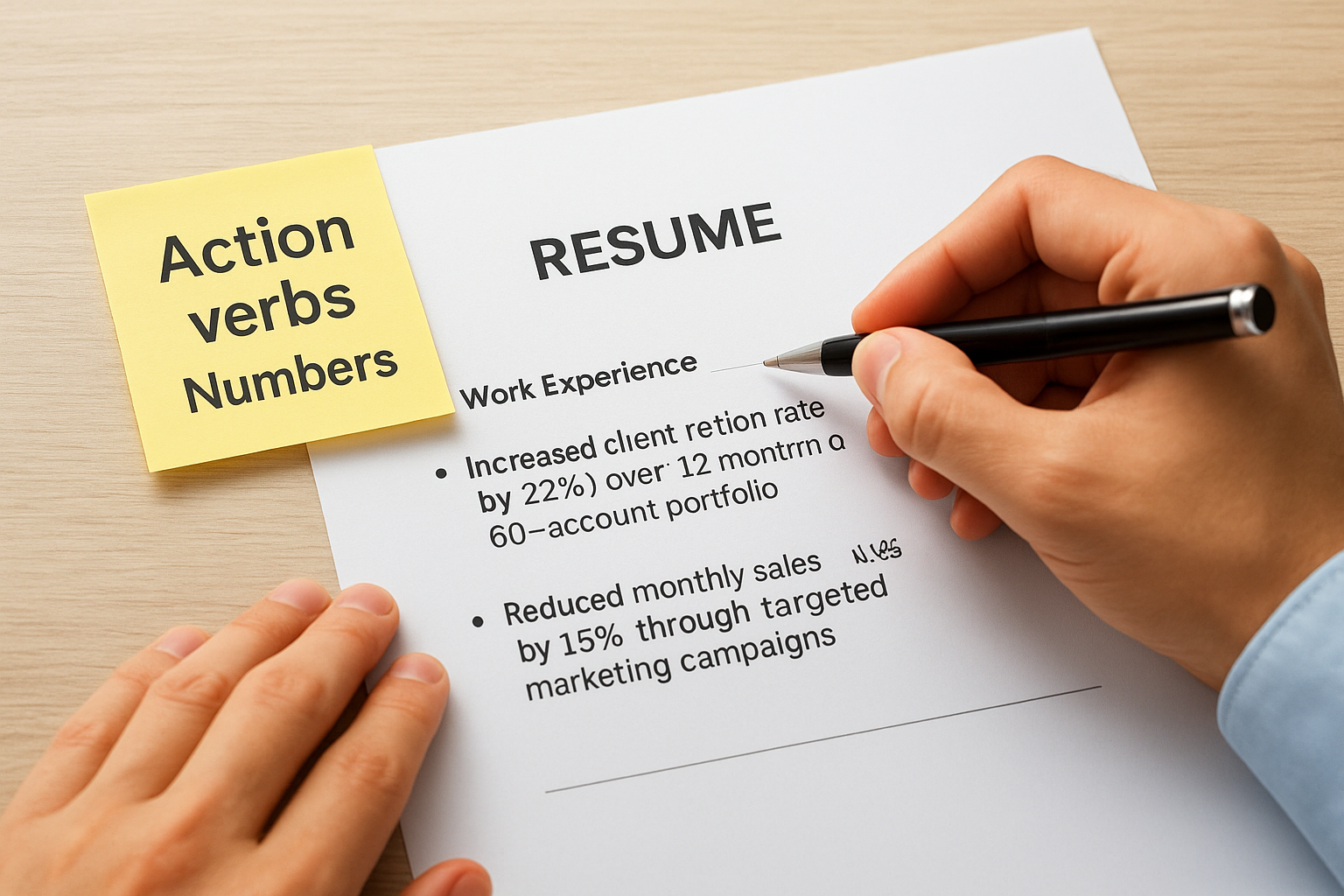
The more specific your numbers, the more credible your bullets become to both the ATS and the recruiter reviewing your resume.
Use this template to rebuild any bullet point quickly:
| Element | Example |
|---|---|
| Action verb | Increased |
| Keyword-aligned task | client retention rate |
| Metric or outcome | by 22% over 12 months |
| Context (optional) | across a 60-account portfolio |
Combined result: “Increased client retention rate by 22% over 12 months across a 60-account portfolio.”
Apply this structure to every bullet under your most recent two roles at minimum, and to any other role directly relevant to the target position.
Format for ATS readability
ATS parsers struggle with certain formatting choices. Complex tables, text boxes, headers, footers, and columns can cause the system to misread or skip entire sections. Keep your resume in a single-column layout with standard section headings like “Work Experience,” “Skills,” and “Education” rather than creative alternatives.
Follow these formatting rules to avoid common parsing errors:
- Use standard fonts like Arial, Calibri, or Times New Roman at 10-12pt
- Save your file as a .docx or plain .pdf unless the posting specifies otherwise
- Avoid placing contact details inside a header or footer field
- Use bullet points, not symbols or icons, for list items
- Keep margins between 0.5 and 1 inch on all sides
Next steps
You now have a complete, repeatable process for how to tailor resume to job description requirements: build a master resume, extract keywords by category, match each term to a real proof point, and clean up your bullets and formatting for ATS readability. Each step builds on the last, so skipping ahead produces weaker results. Work through them in order every time you target a new role.
Applying this process manually works, but it takes time, especially if you’re submitting across multiple positions or managing candidates at scale. That’s where automation closes the gap. Saply’s AI-powered CV tailoring platform handles keyword matching, formatting, and job description alignment automatically, directly inside the tools you already use. Recruiters and staffing teams use it to cut submission time significantly without sacrificing the precision this guide walks you through. Try it free and see how much faster your workflow moves.